 CompassDocs
See CompassDocs in two minutes.
Eight stops through the knowledge base, AI answers and the helpdesk. Use the arrows, or let it play.
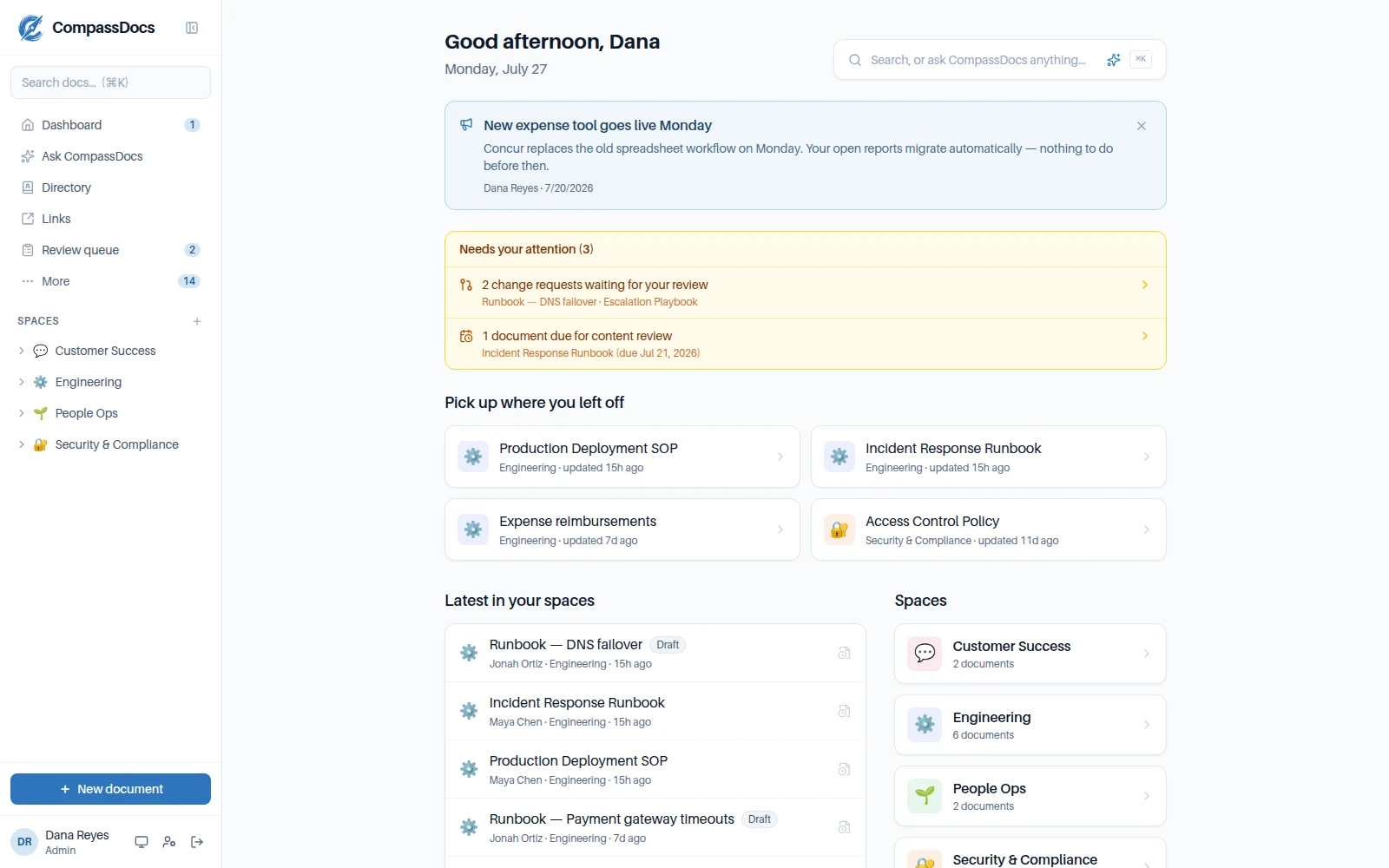
Start with what needs you
The dashboard shows change requests waiting for your review, documents due for a content review, and where you left off.
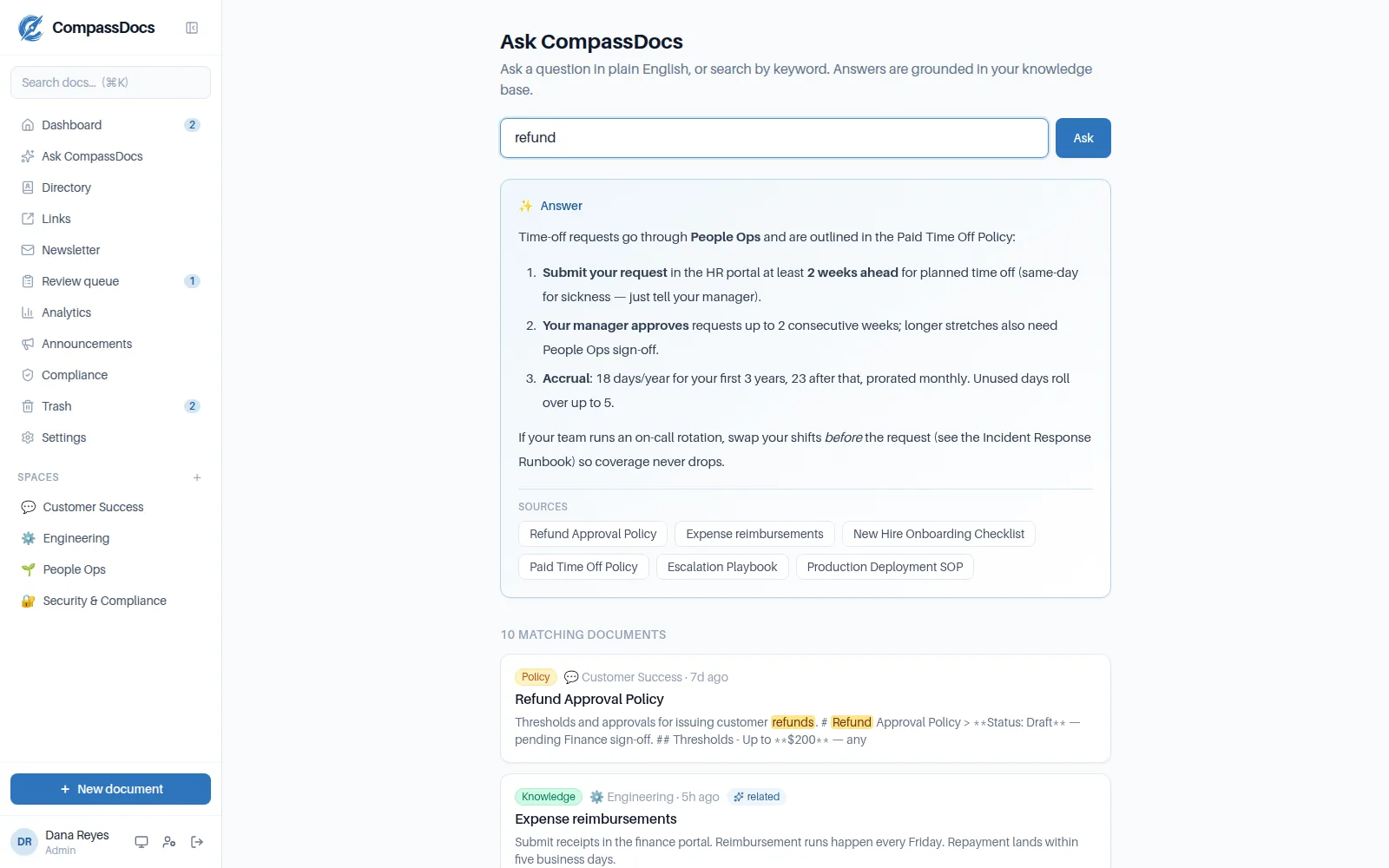
Search the way people ask
Type a keyword or a plain-English question. Matching documents come back with the words highlighted, across every space you can see.
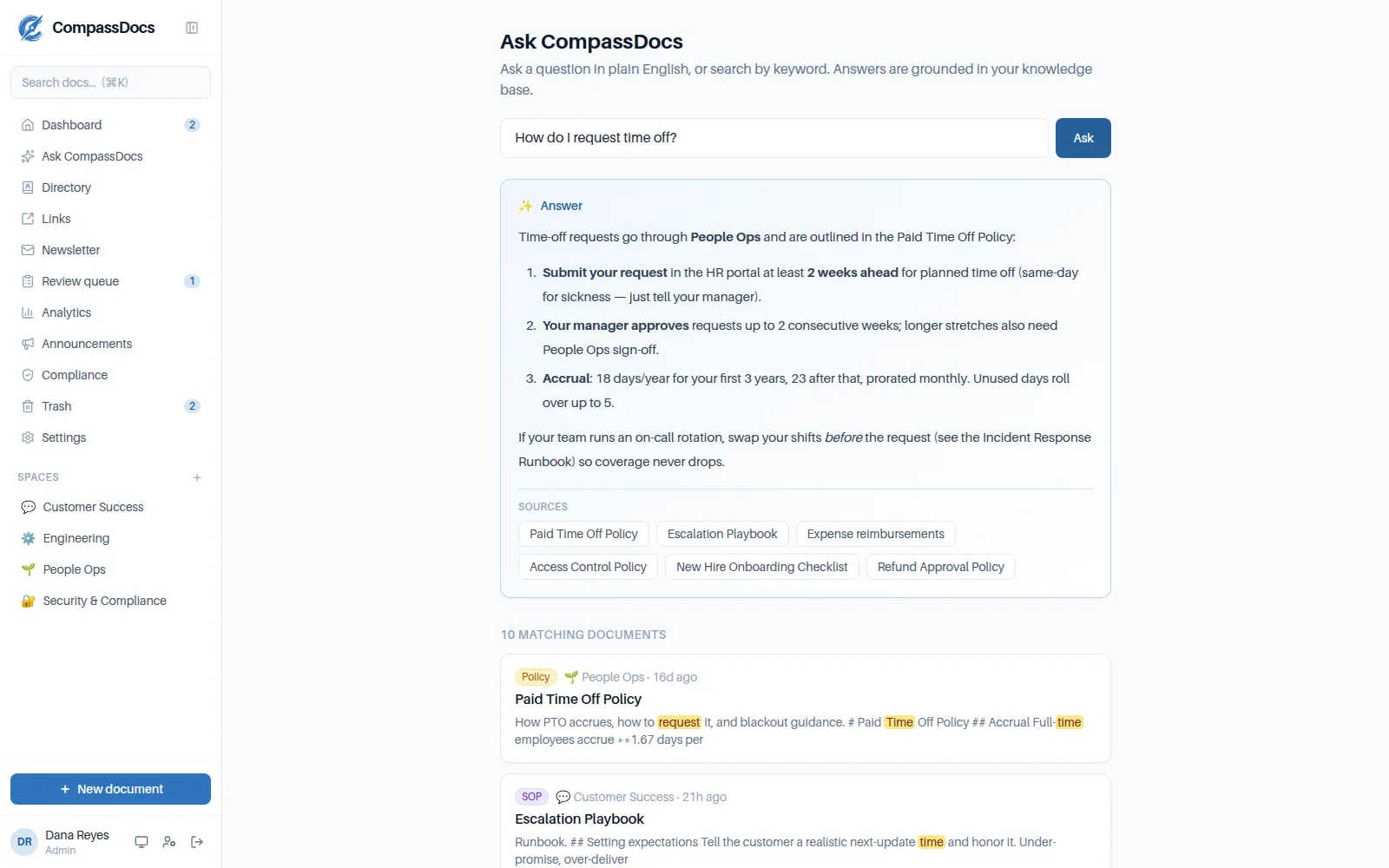
Answers from your own documents
Ask CompassDocs writes the answer from your documents and lists its sources, so anyone can check it.
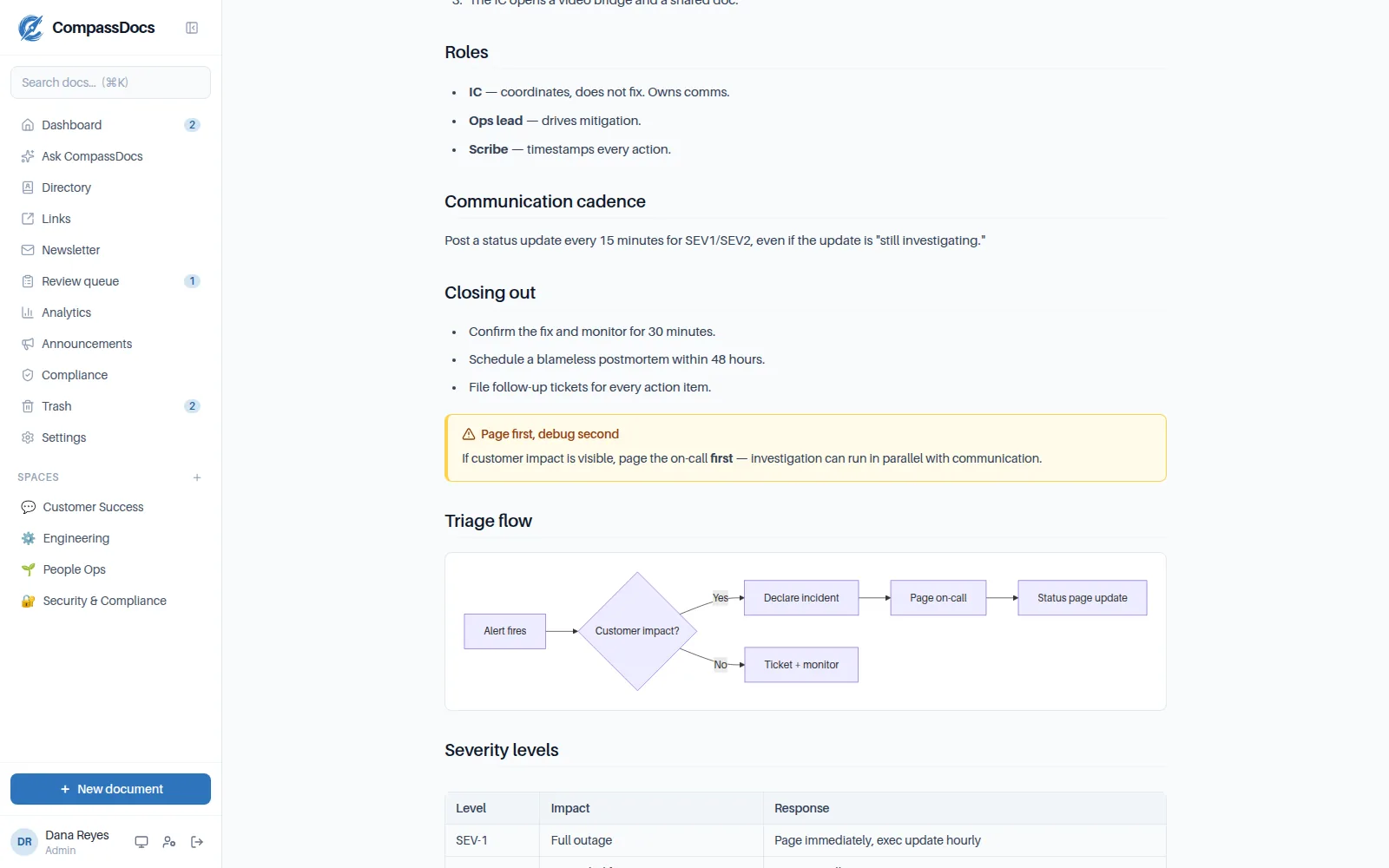
Runbooks people can follow
Callouts, live diagrams and tables make SOPs and runbooks easy to follow under pressure.
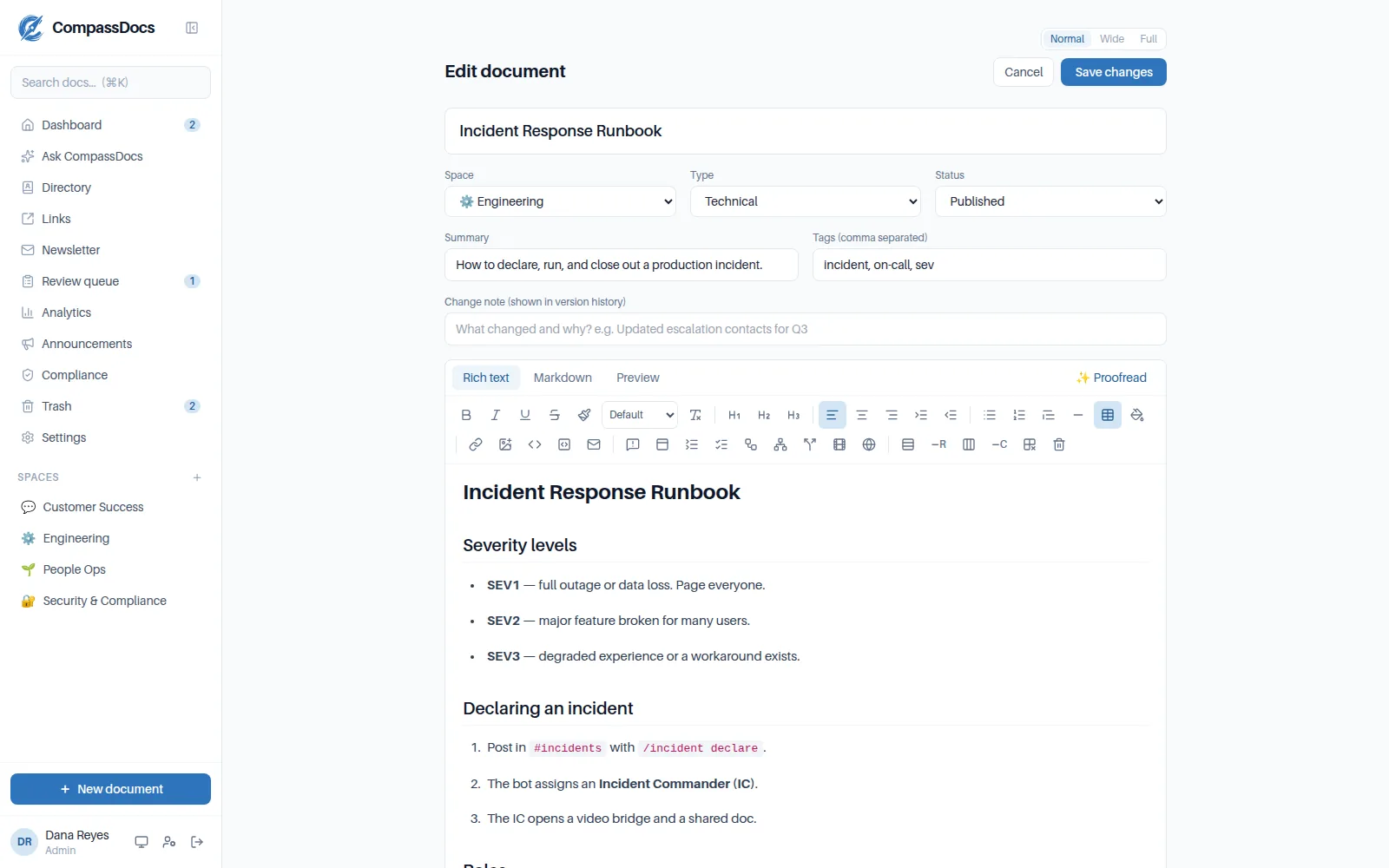
Write in rich text or Markdown
A full toolbar or Markdown, both stay in sync, and an AI proofread tidies up before you publish.
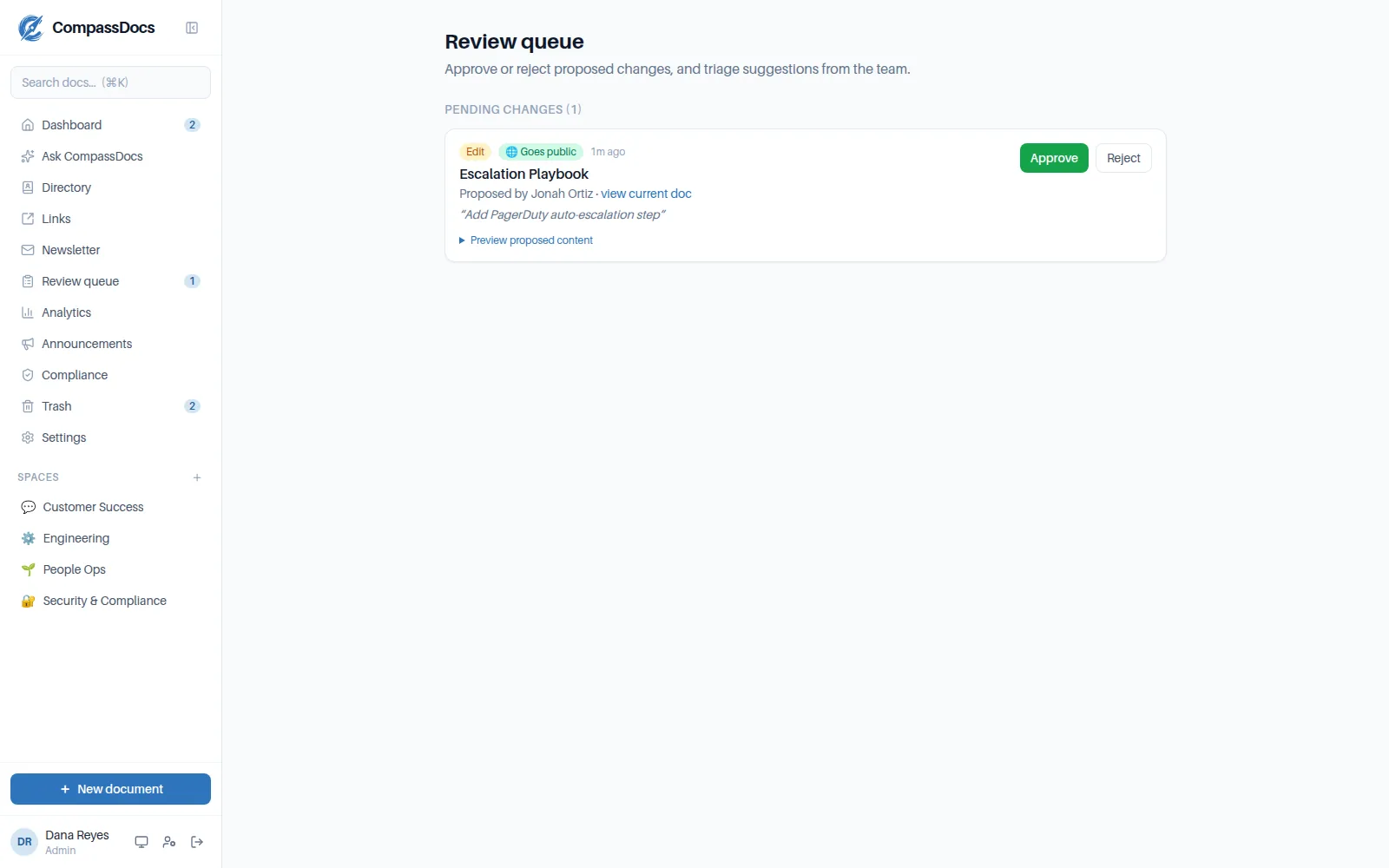
Changes are reviewed before they go live
Proposed edits wait in the review queue. Approve or reject them, and every version is kept.
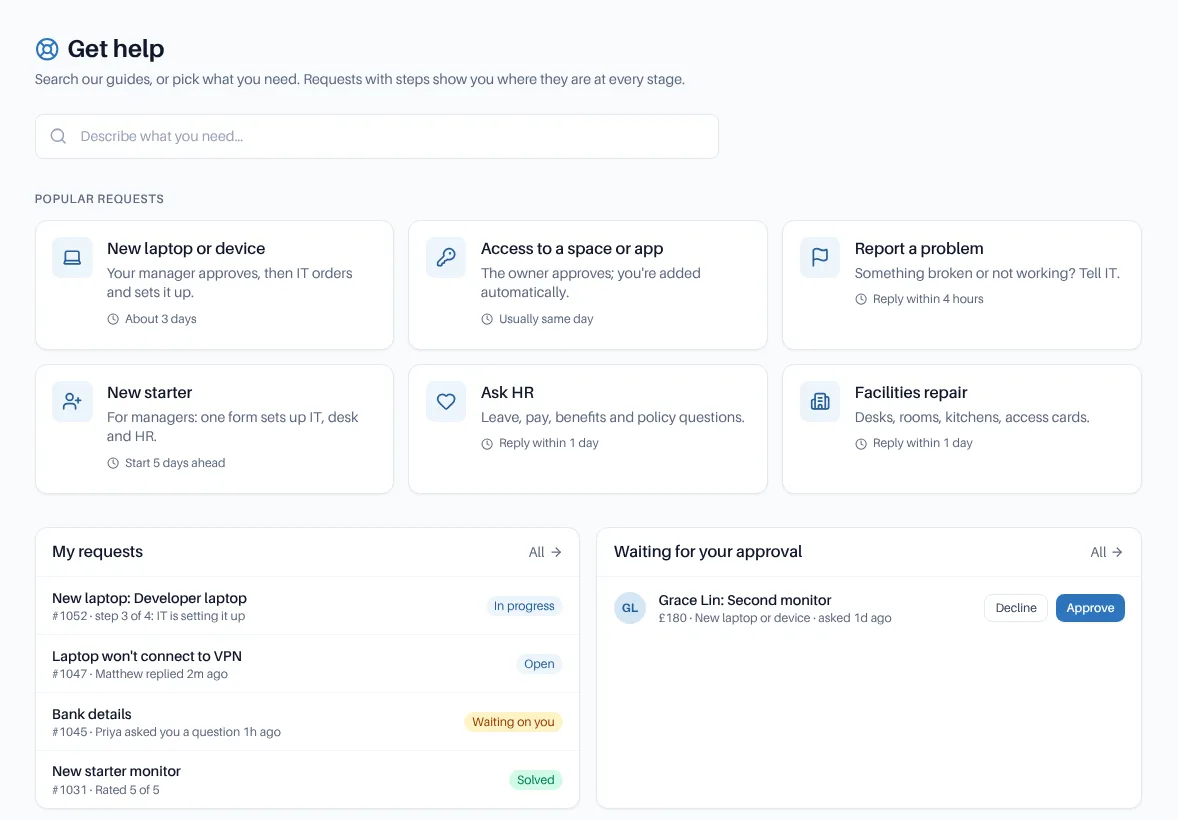
Employees ask for help in one place
The Help Center lists request types with who handles them and how long they usually take.
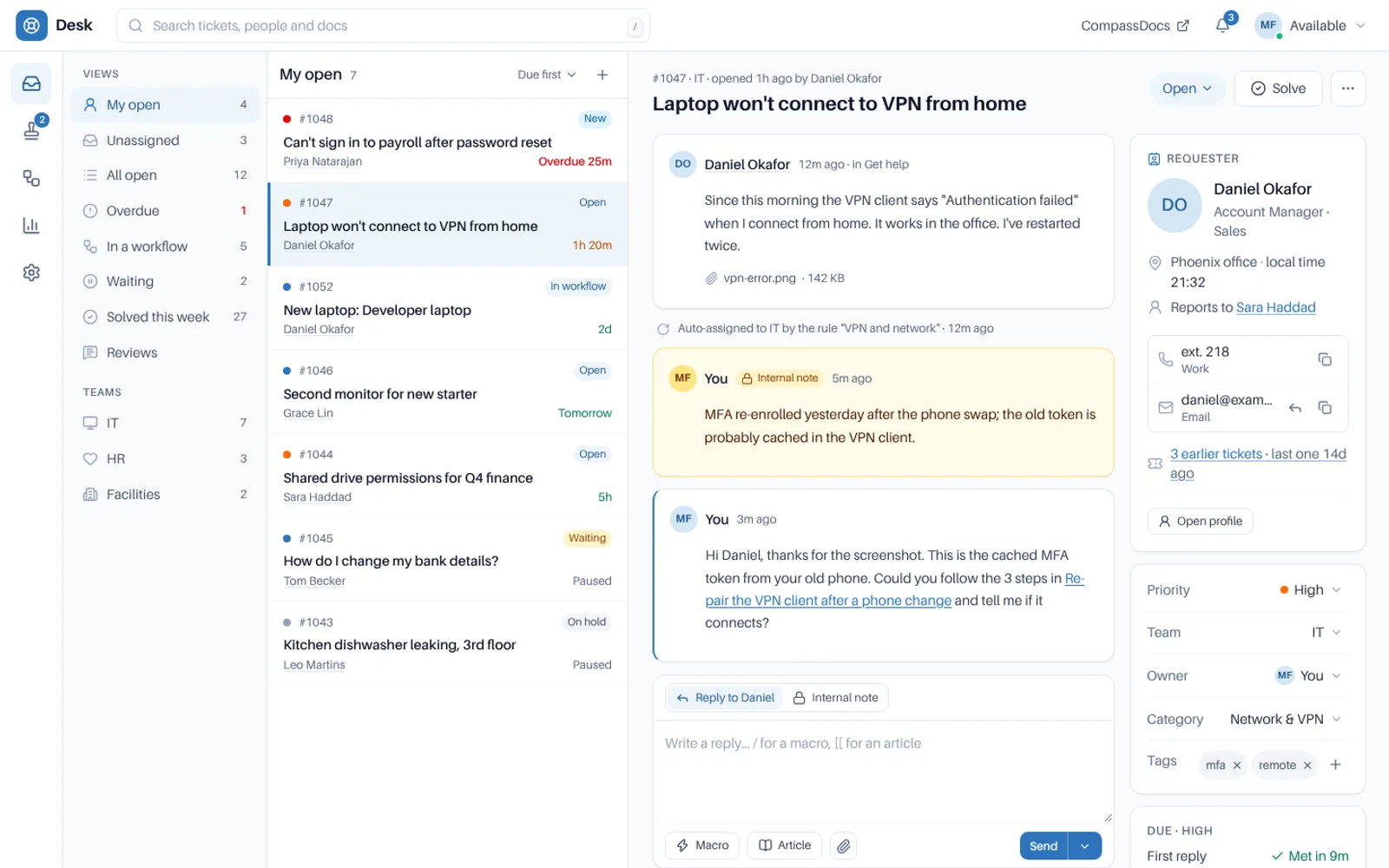
Agents work a live queue
Tickets with due times, internal notes and the requester's details in one view, with your docs a click away.