Every SOP, doc, and policy—
findable in seconds.
CompassDocs is a self-hosted knowledge base—one clean place to write, organize, and search internal docs, with AI answers grounded in your own documents and role-based control over who can change what.
Self-host in one command · Claude connector & directory built in · open-source (AGPL-3.0)

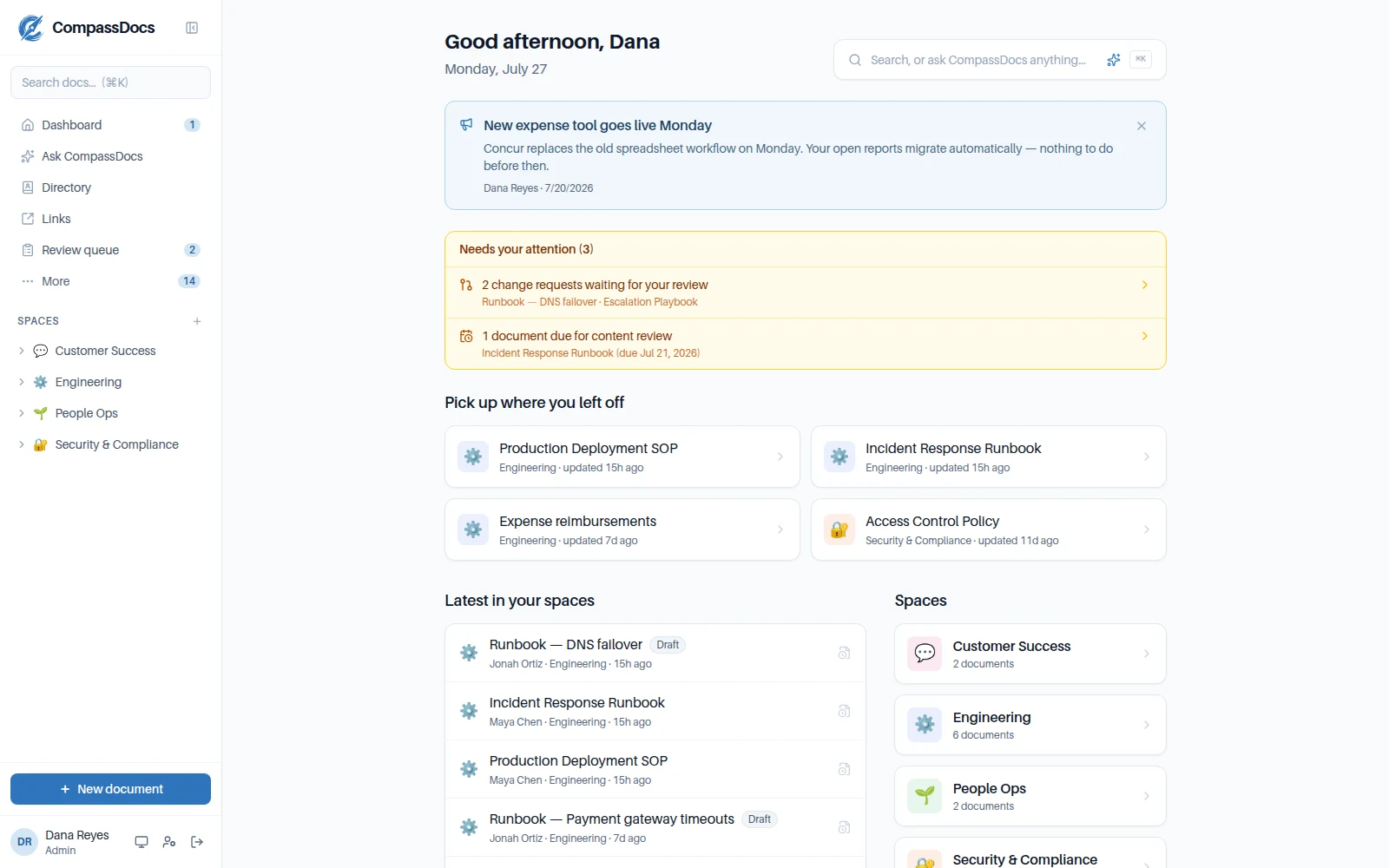
Knowledge shouldn’t be a scavenger hunt.
× The runbook lives in a Google Doc someone can’t find.
× The real answer is buried in a three-month-old chat thread.
× Two policies contradict each other and nobody owns either.
→ CompassDocs makes one source of truth that’s actually searchable—and governed.
See it in action.
A polished, fast interface your whole team will actually use.
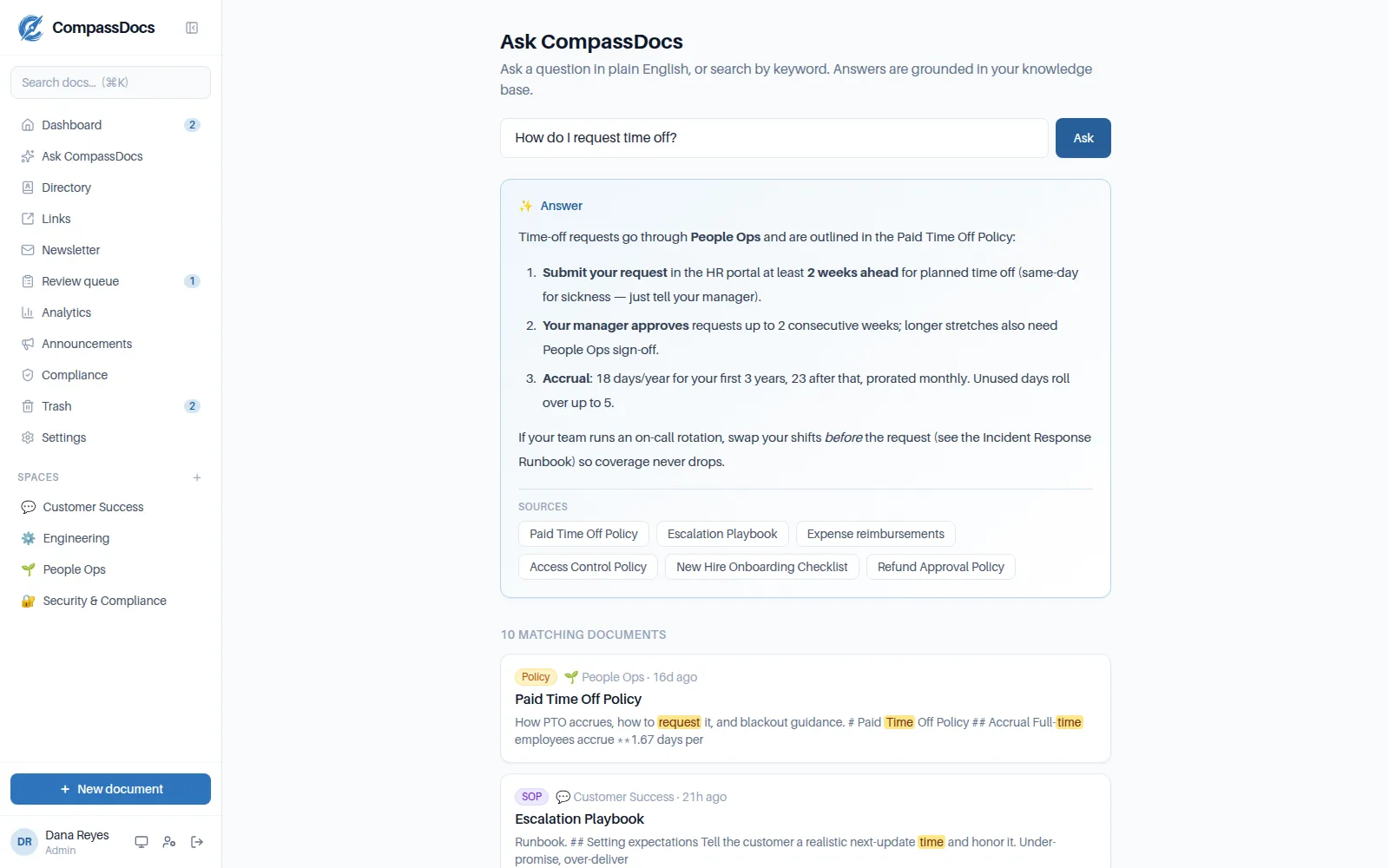
Answers, not just links.
Ask a question in plain English and get a synthesized answer grounded only in your own documents, with inline citations you can click through to the source.
- Retrieval-augmented answers from your knowledge base
- Every claim cites the document it came from
- No API key? It falls back to ranked keyword search
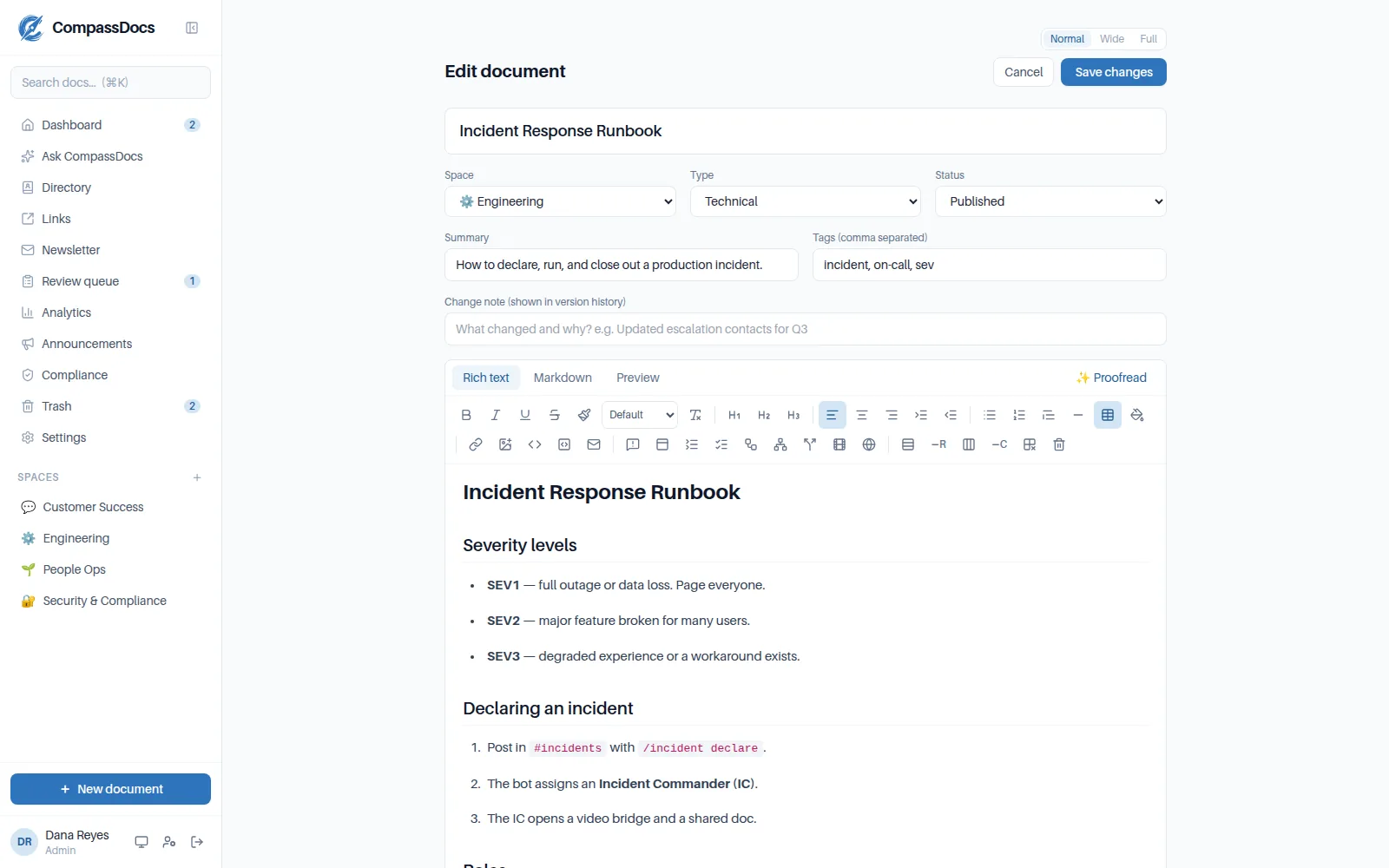
A rich editor—no Markdown required.
Format with a familiar toolbar or write raw Markdown; both stay in sync. One click of AI proofreading cleans up grammar and clarity before you publish.
- Rich-text and Markdown modes, plus live preview
- Paste screenshots straight into a step—sized, zoomable, captioned
- AI proofread with apply-or-dismiss suggestions
- Comments & @mentions on every doc—with email and dashboard notifications
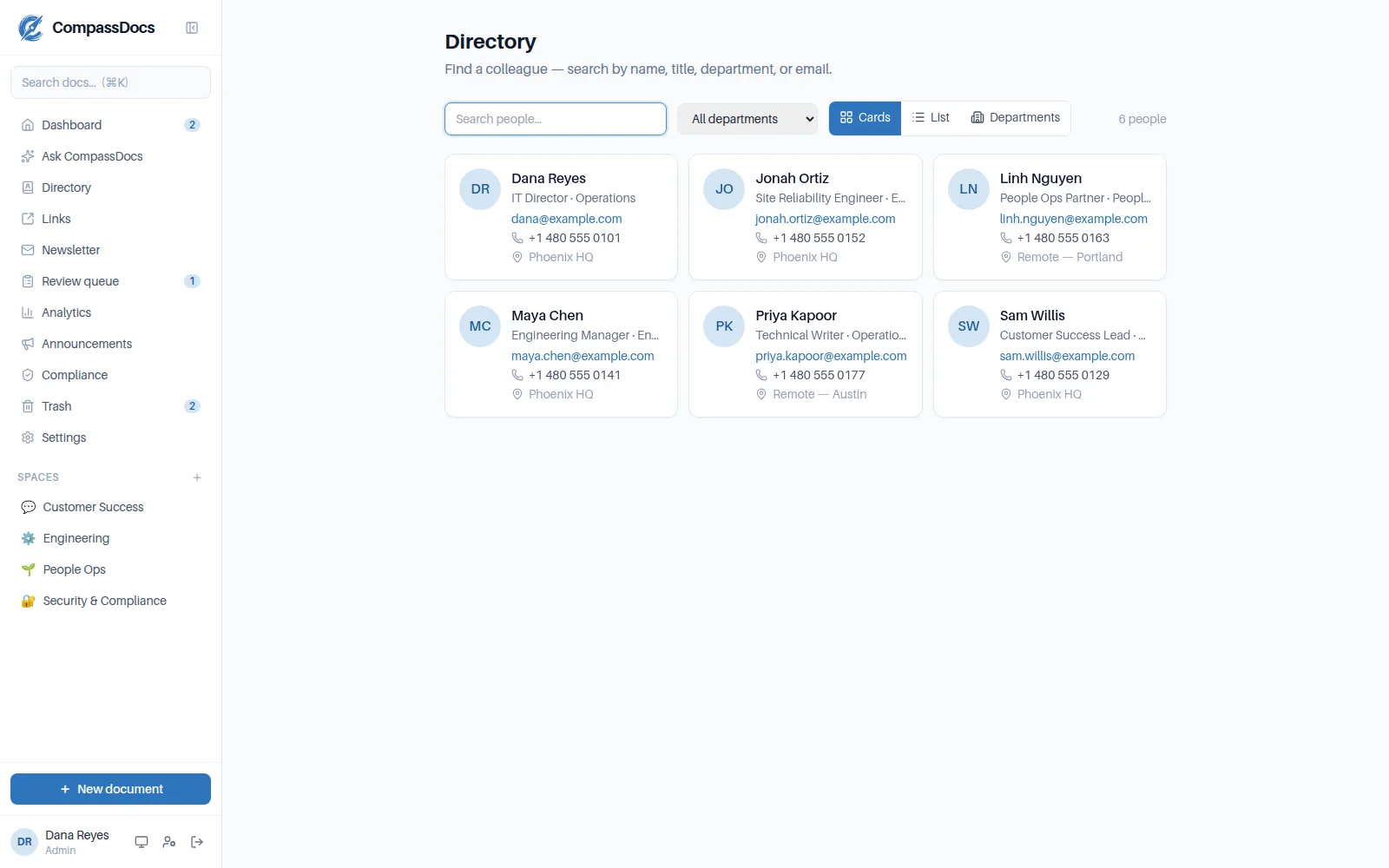
Find anyone in seconds.
A built-in company directory with cards, a sortable list, and department views. Sync it straight from Microsoft 365 on Enterprise—titles, phones, photos, even your Exchange custom attributes.
- Profile pages link every doc a person has written
- Ask “who’s the head of IT?” and get the person, with contacts
- Enterprise: auto-filled from Microsoft Entra or Google Workspace
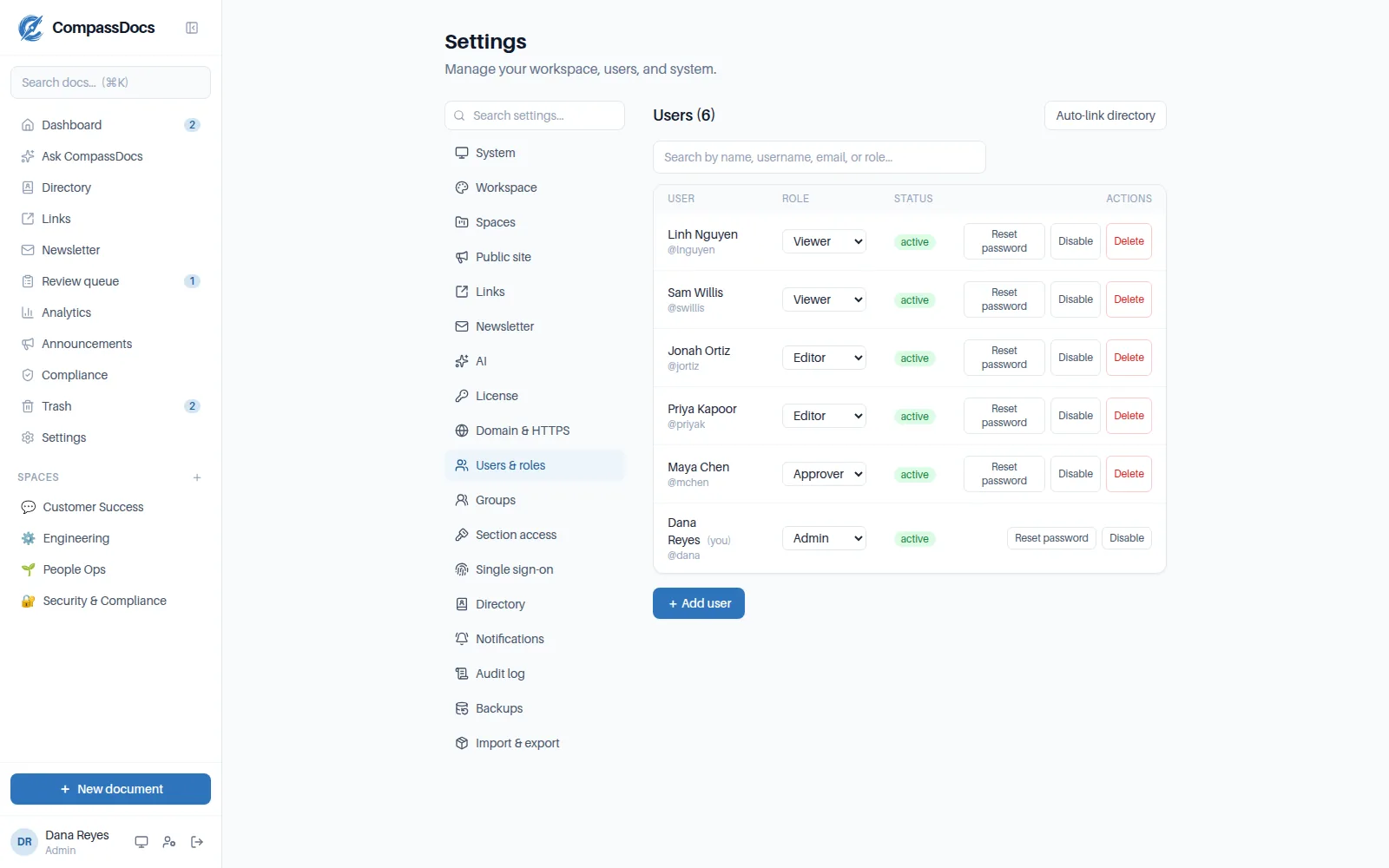
Roles & approvals you control.
Four roles from Viewer to Admin decide who can read, write, and publish — or build a custom role from 200+ individual permissions. A one-switch approval workflow routes changes to live docs through a review queue.
- Viewer, Editor, Approver, Admin—least to most privileged
- Private spaces for sensitive teams; a public site for the world
- Chat & email alerts when something needs review
Everything, one keystroke away.
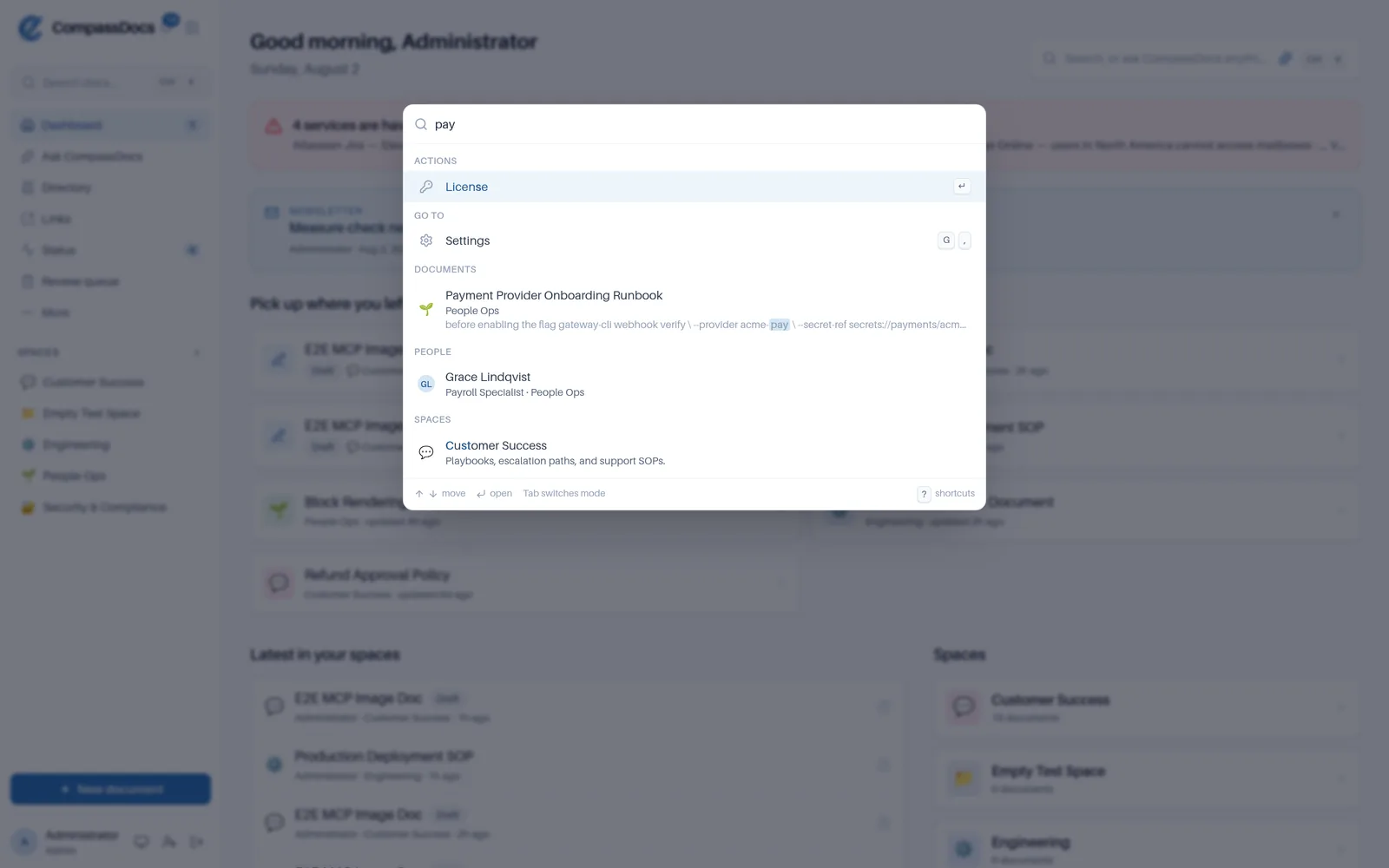
Press ⌘K—CtrlK on Windows and Linux—and one box searches documents, colleagues, spaces, and the things you can do. It opens in front of the page you’re on, so nothing moves until you choose.
- Documents, people, spaces, navigation, and actions in one ranked list
- @ to find a colleague; ? for every shortcut you have
- Look something up mid-sentence without losing your place in the editor
Self-hosted, and built to stay that way.
Own your data and operate it with confidence—your own domain, backups, and attachments all included, no add-ons.
Your domain, automatic HTTPS
A built-in Caddy proxy serves CompassDocs on your domain with Let’s Encrypt certificates—set it up from the UI.
Backups & one-click restore
Scheduled full-database backups with retention—mirrored off-site to S3 or Azure, all configured in the console.
One command to run & update
A single Docker command installs the app and its database; a browser setup wizard creates your admin.
Or one click on Azure
A Deploy-to-Azure wizard provisions the VM, networking, and storage for you—full control over sizes and options.
Up and running in about two minutes.
One command starts the app and its PostgreSQL database with Docker—then a browser wizard gets you going. The full app is free and open-source; add an Enterprise license for SSO & directory sync whenever you need it.