 CompassDocs
Everything a growing team needs to capture and find knowledge.
From AI answers to governed publishing—without the sprawl of a dozen disconnected tools.
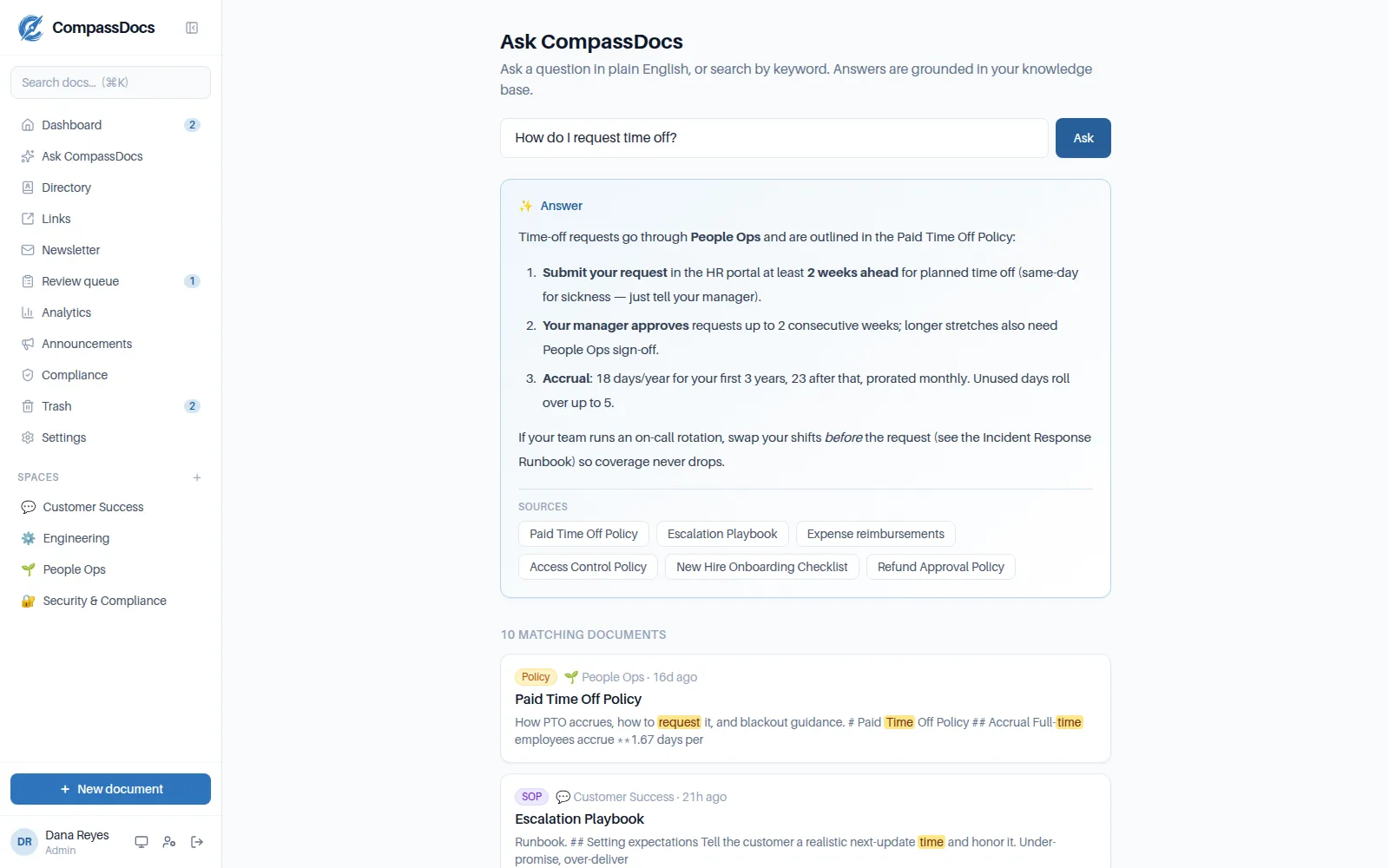
AI answers, grounded in your docs.
Ask in plain English. CompassDocs retrieves the most relevant documents and writes a synthesized answer—citing each source inline so you can verify and click through. It never uses outside knowledge, which keeps answers on-topic and reduces hallucination.
- Retrieval-augmented generation over your knowledge base
- Inline
[Doc]citations link to the source - Semantic search: “how do we handle refunds?” finds the reimbursement policy—no keyword overlap needed
- Bring your own Anthropic key, set in the UI—or use keyword search for free
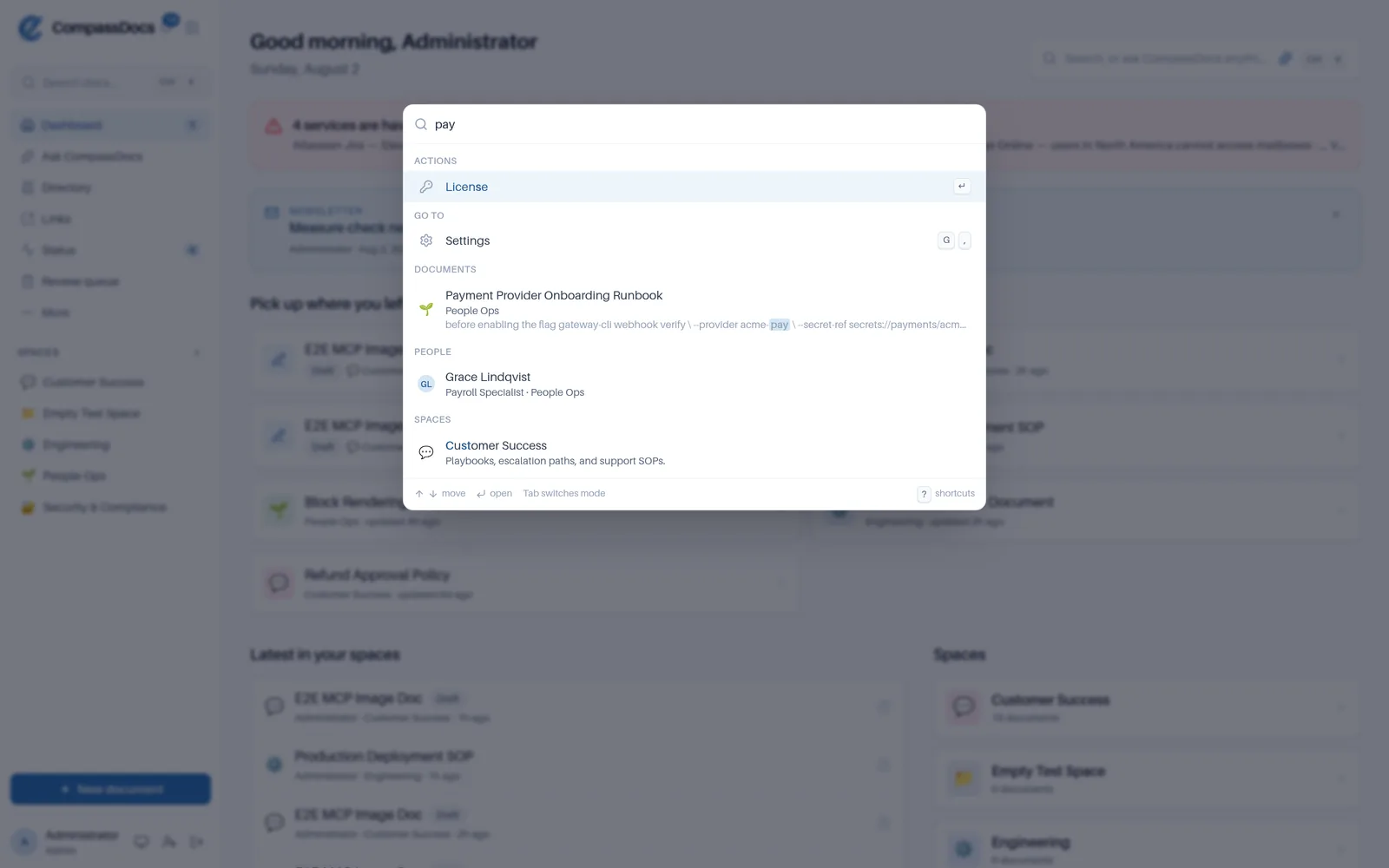
Everything, one keystroke away.
Press ⌘K—CtrlK on Windows and Linux—and one box searches documents, colleagues, spaces, and the things you can do. It floats in front of the page you’re on, so looking something up mid-sentence never costs you your place.
- Documents, people, spaces, navigation, and actions in one ranked list
- @ people · / documents · > actions · # spaces
- gh dashboard, gp people, c new document—? for the full sheet
- Permission-aware: a shortcut you can’t use is never bound
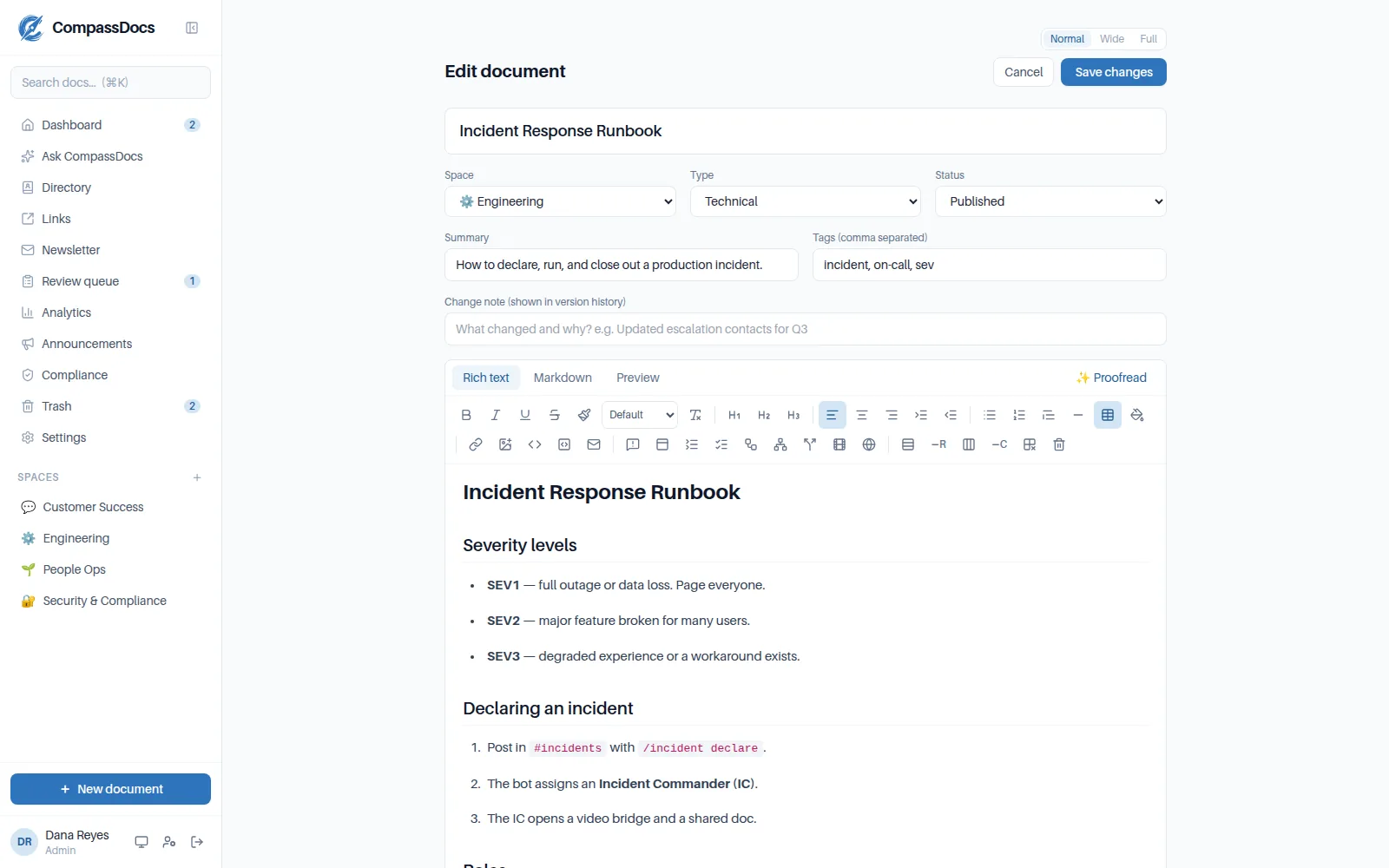
A rich editor—or Markdown, your choice.
Write with a familiar formatting toolbar, or switch to raw Markdown; both edit the same document and stay in sync. When you’re done, one click of AI proofreading fixes grammar, spelling, and clarity—apply or dismiss each suggestion.
- Rich-text (WYSIWYG) and Markdown modes, plus live preview
- Tables, color panels, highlights, and email-safe fonts—with a toolbar that stays with you as you scroll
- Paste screenshots right where they belong—size them with a drag, place them side by side, zoom them, give them alt text
- Rich blocks, fully WYSIWYG: Mermaid & PlantUML diagrams with live preview, tabs, accordions, callouts, video & website embeds, interactive checklists, decision-tree guides, filterable tables
- AI proofread that preserves your meaning and formatting
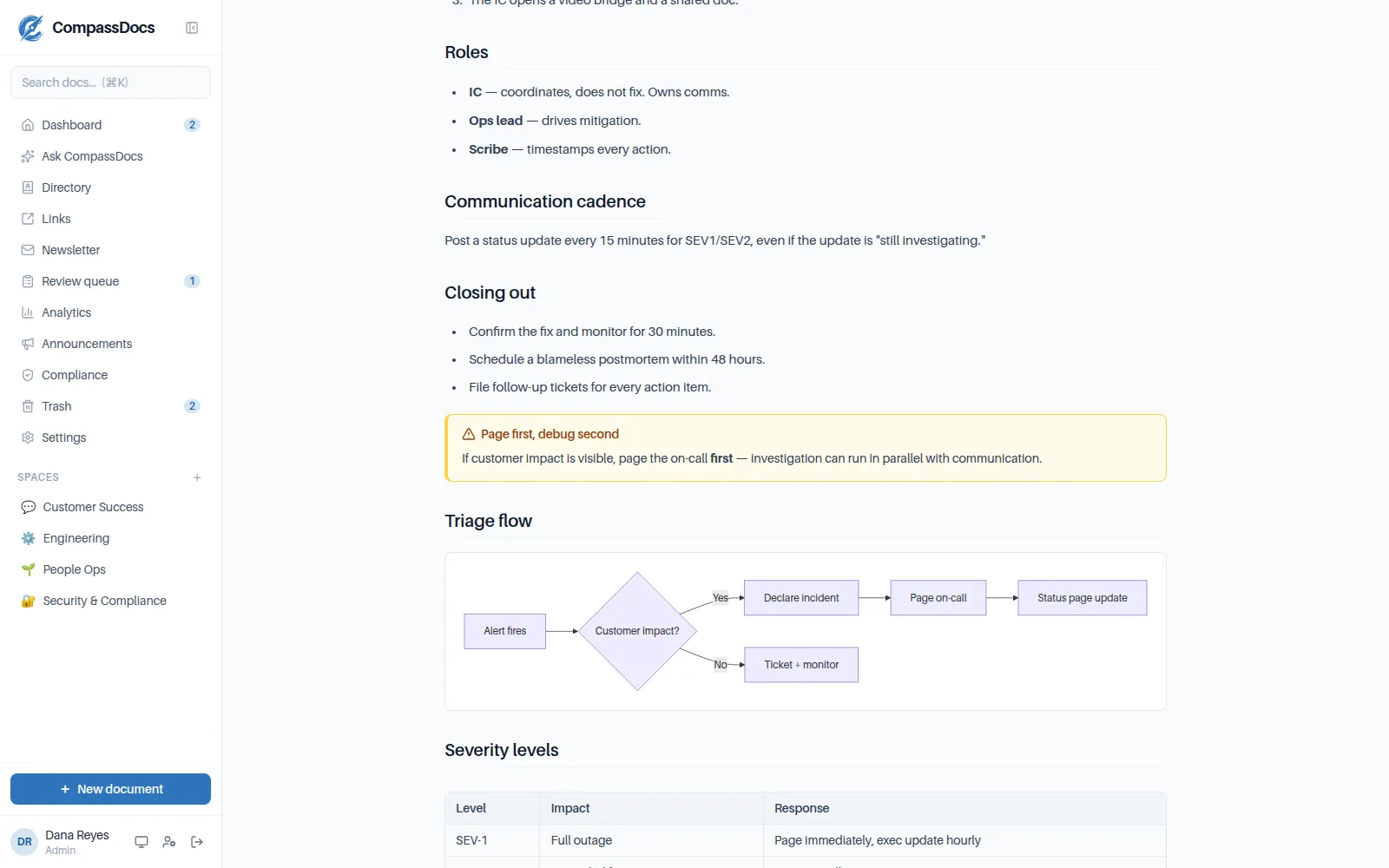
Clean documents, organized in spaces.
Group knowledge into spaces—one per team, product, or topic—each with its own icon and color. Documents render beautifully with types, tags, summaries, and full version history so nothing is ever lost.
- Custom spaces with a searchable icon picker and accent colors
- Four document types, tags, version history—and print / save as PDF
- Readers choose their page width: normal, wide, or full
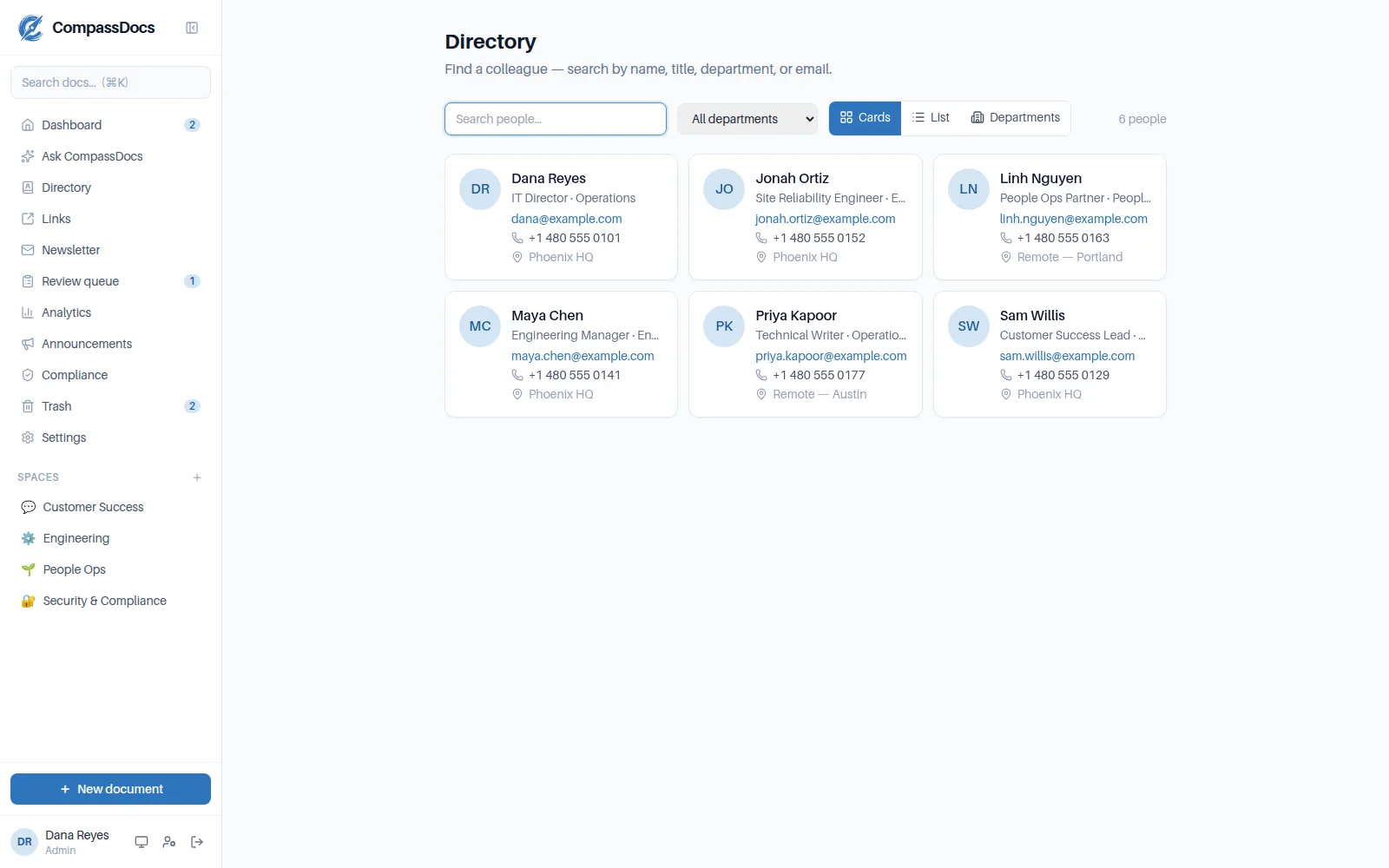
A company directory, built in.
Every teammate—title, department, phones, office, photo—searchable in cards, a sortable list with your choice of columns, or grouped by department. Link assistants, add custom fields, and on Enterprise sync it all from Microsoft 365 (including Exchange custom attributes).
- Profile pages with each person’s contact card and the docs they’ve written
- Ask “who runs payroll?” and get the person, cited from the directory
- Enterprise: Microsoft Entra sync with junk-account filters
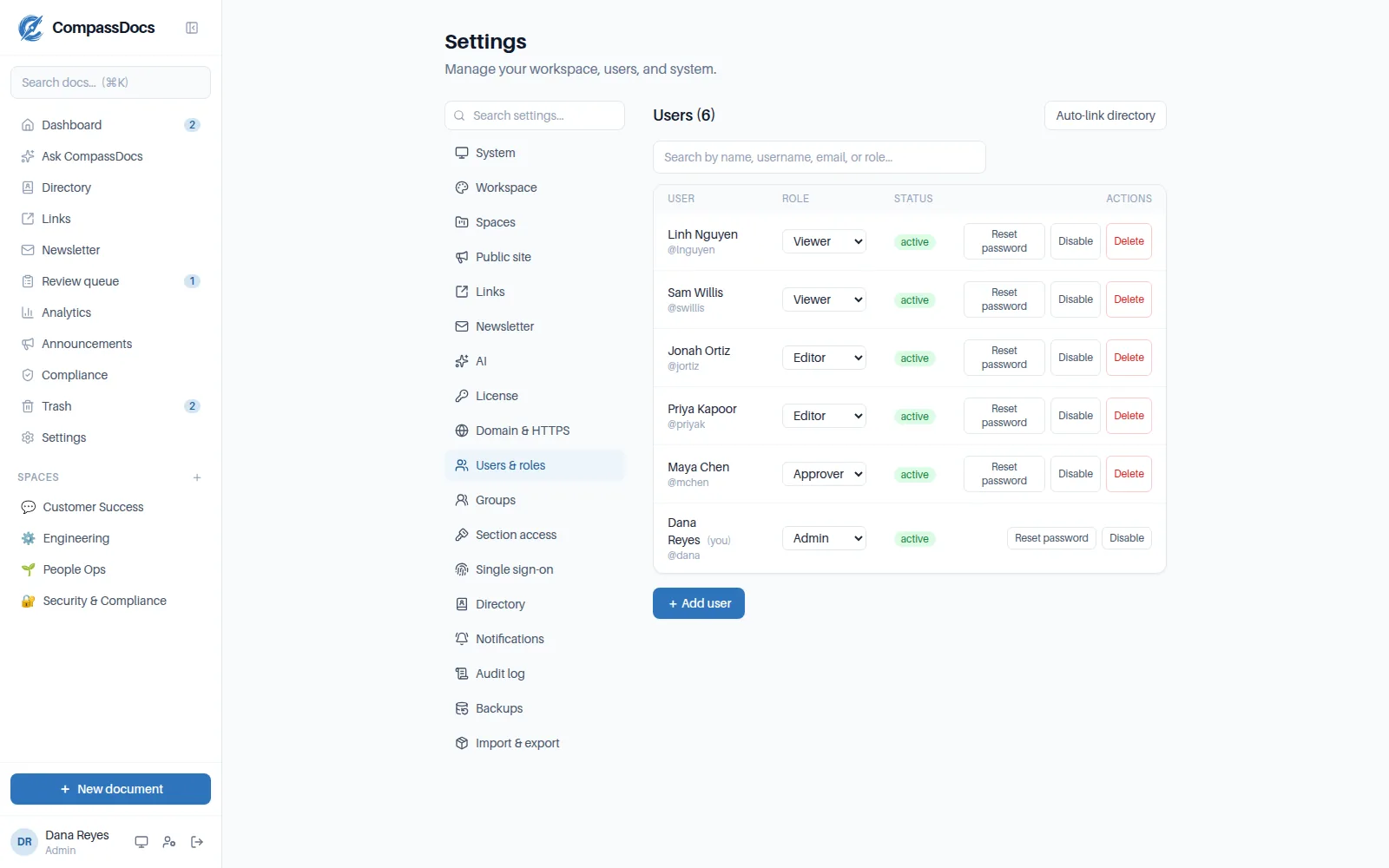
Roles & approvals you control.
Four roles—Viewer, Editor, Approver, Admin—cover most workspaces. When they don’t, build a custom role from 200+ individual permissions and grant it to a person or a group, workspace-wide or in one space. A one-switch approval workflow sends changes to live docs through a review queue, and anyone can suggest an edit.
- Custom roles from 200+ permissions—delegate the audit log without handing over the workspace
- Private spaces gated by user groups—manual or synced from Entra
- Per-space edit rights—restrict who can author, per person or group
- Strict (review-required) or open publishing, changeable anytime
- Every security-relevant action lands in the audit log
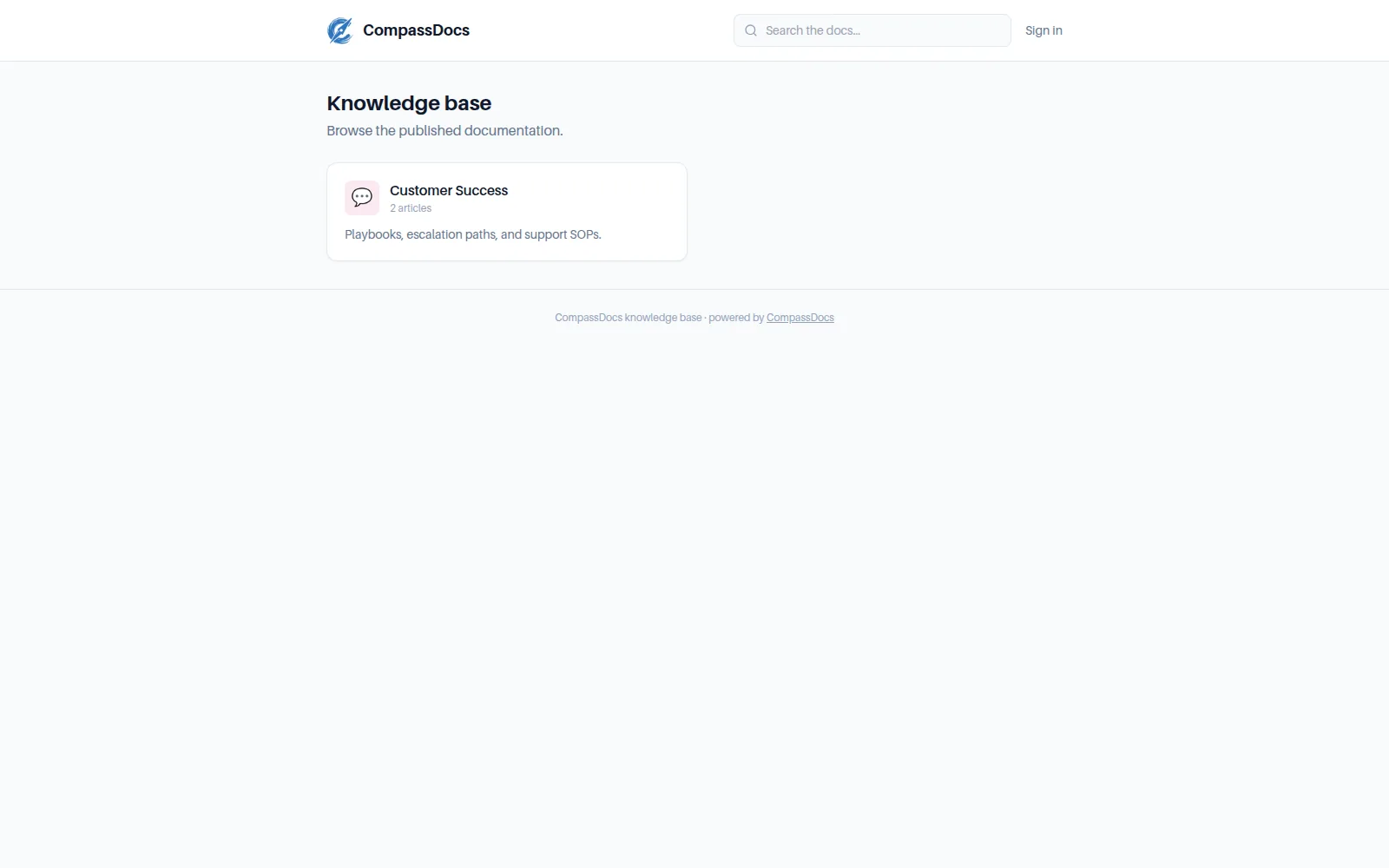
Share chosen spaces with the world.
Mark a space Public and its published docs are served on a clean, branded, read-only site—no accounts needed. Perfect for a customer help center or public policies, while everything else stays behind the login.
- Off by default—a master switch plus per-space opt-in
- Anonymous search scoped to public content, rate-limited
- Search-engine indexing is your call (noindex until you say so)
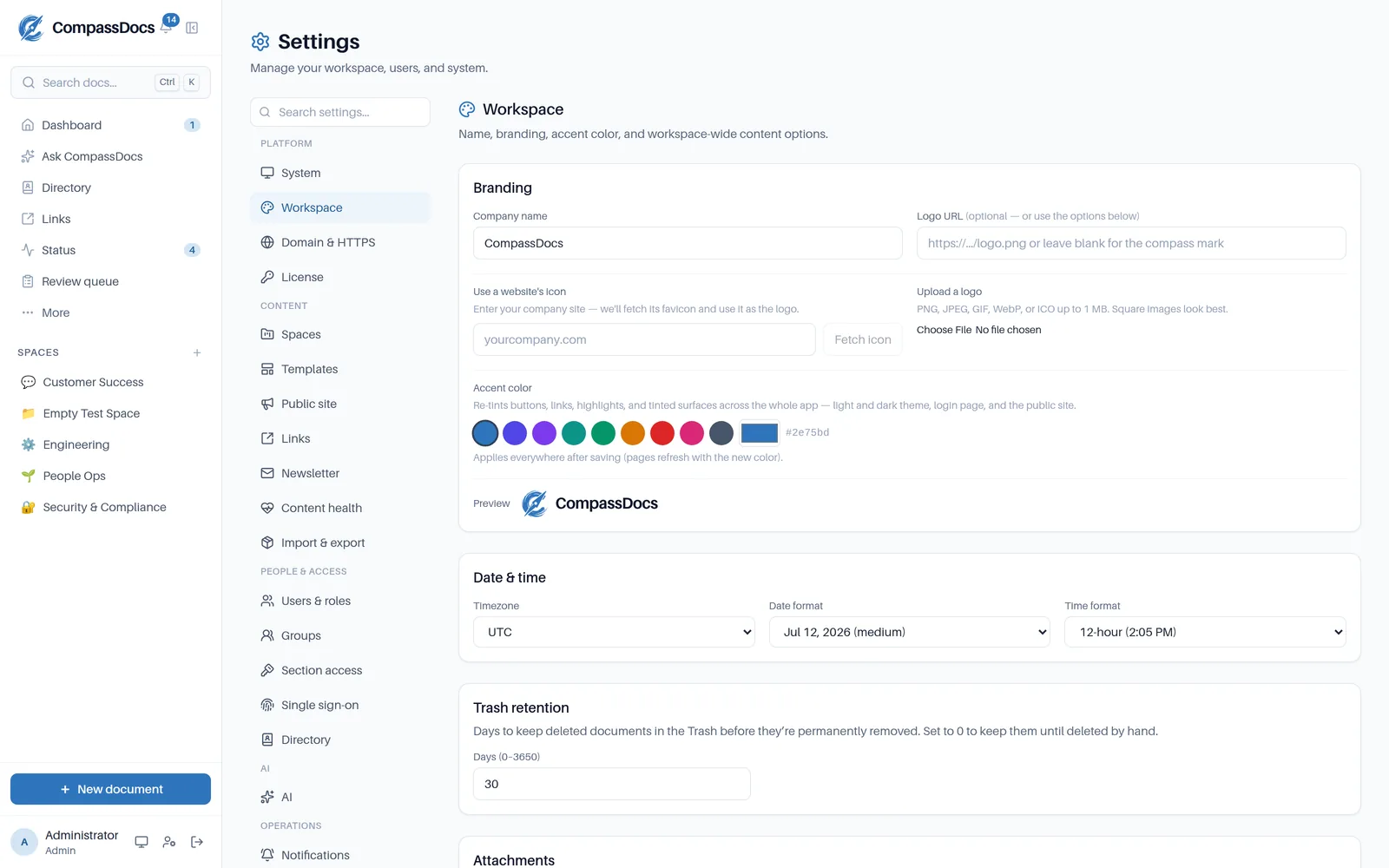
One console for the whole workspace.
Branding, localization, security, spaces, AI, custom domains, and backups in one console—grouped by area, with a search box that finds any section by name or keyword, and a system page showing storage and resource usage at a glance.
- Sections grouped as Platform, Content, People & access, AI, and Operations—type “certificate” and land on Domain & HTTPS
- Your name, logo, and accent color—one hex re-tints the whole app
- Idle session timeout, attachment limits, trash retention
- API key, model, and off-site backups—all from the UI
- Every save confirms with a toast; destructive actions live in a separate danger zone
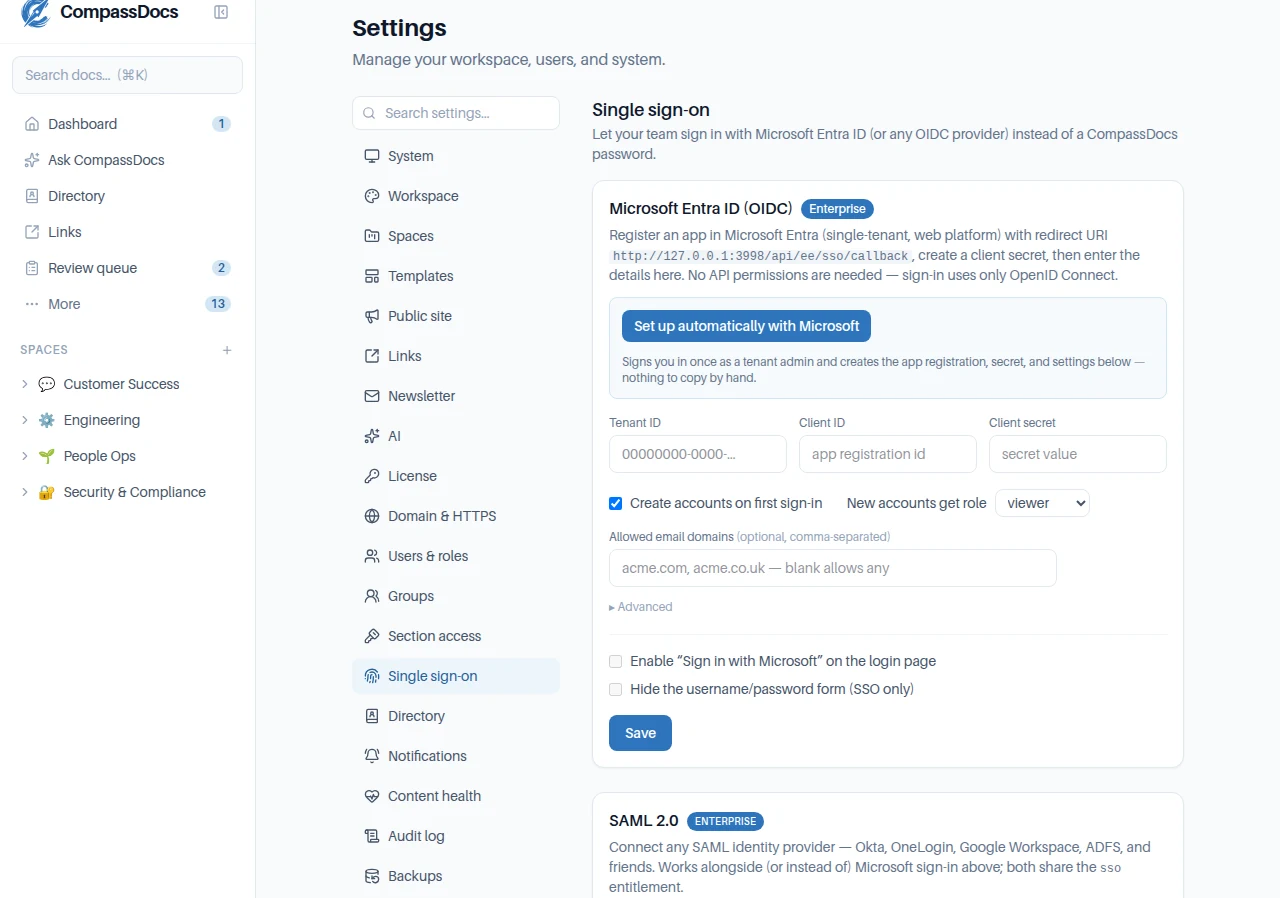
Single sign-on — SAML & OIDC.
Sign your team in with the identity provider you already run. SAML 2.0 for Okta, OneLogin, Google Workspace, and ADFS, or OpenID Connect for Microsoft Entra ID with one-click setup—plus SCIM to create and deactivate accounts automatically. Both protocols, one flat Enterprise price.
- Paste your IdP’s metadata XML—endpoints and certificate fill themselves in
- Just-in-time provisioning, domain allow-lists, and “SSO only” with a break-glass path
- Signed-assertion validation, replay-resistant flows, every sign-in audited
The details that make it a keeper.
A dashboard about you
Sign in to a personal work hub: everything waiting on you—change requests, read confirmations, reviews coming due, reader suggestions—plus your drafts, the docs you last opened, and author-attributed activity across your spaces.
Instant full-text search
Ranked, keyword-highlighted results from PostgreSQL full-text search, reachable everywhere from the command palette. Titles outrank body text and fresher docs win ties; narrow with type:, tag:, space:, and author: operators — and fuse in semantic search when you connect an embeddings provider (Voyage, OpenAI, or local Ollama).
File attachments
Attach files to any document and embed images in Markdown, with a configurable size limit.
Trash & retention
Deletes go to the Trash and can be restored; a retention window clears them on your schedule.
Import & export
Export the whole knowledge base as front-matter Markdown—and import it back. Portable, and yours.
Document templates
Six built-in scaffolds—SOP, runbook, policy, meeting notes, postmortem, decision record—plus your own. Placeholders fill themselves, spaces can set a default, and admins can turn any document into a template.
Public share links
Hand anyone a single document: an unguessable read-only link with optional expiry, one-click revoke, open counts, and never indexed — without opening a whole space. Admin-enabled, off by default.
Content review reminders
Give any document a review cadence and it stays honest: overdue notices on the page, a dashboard queue for editors, and one-per-due-date approver emails. Editing a doc resets its clock automatically.
Nested pages & backlinks
Optional, admin-enabled structure: sub-pages up to three levels with tree navigation, automatic “Linked from” backlinks, and [[ autocomplete that links documents as you type.
Related documents
Link a policy to its procedures, mark a doc as superseded, or add a plain “related” — typed links shown on both documents in a clean side panel, next to attachments and suggestions.
Versioning & draft branches
Every save is a version with a change note. Compare any two side-by-side with word-level highlights, restore in one click, and draft rewrites on private branches that merge back through the approval workflow—all audited. Learn more →
Comments & @mentions
Discuss any document in place. @mention a teammate and they’re notified by email and on their dashboard with a link back. Workplace-safe: admins get an on/off switch, a restricted-words list, and full moderation—all audited. Learn more →
Suggestions
Anyone—including Viewers—can suggest an edit; approvers triage them in one queue.
Your brand, everywhere
Fetch your website’s icon or upload a logo, pick an accent color, and the whole app re-tints—light, dark, and auto themes included.
Localized timestamps
Per-workspace timezone with medium, long, ISO, US, or European dates and 12/24-hour time.
Knowledge-base analytics
Views, unique readers, and time-on-page; trending and neglected docs; searches that found nothing (your content gaps); reader engagement and author reach—filterable, with per-doc drill-downs. Learn more →
2FA & session control
Authenticator-app 2FA with recovery codes, per-device session listing, and sign-out-everywhere. Enterprise adds single sign-on — SAML 2.0 (Okta, OneLogin, Google Workspace, ADFS) and OIDC (Microsoft Entra, one-click) — plus SCIM provisioning that creates, updates, and deactivates accounts automatically.
Hardened by default
Credentials and backups encrypted at rest (AES-256-GCM), hashed session tokens, login throttling with lockout, and strict security headers—out of the box, no configuration required.
Outlook add-in
CompassDocs in the Outlook ribbon: search, AI answers, and one-click “insert document link” while writing email. Self-serve manifest, deployed org-wide from the Microsoft 365 admin center.
Claude connector
Connect the Claude desktop app with one click (built-in OAuth) and draft, search, revise, publish and reorganize your docs from Claude, with the editor’s full rich-block toolbox (diagrams, tabs, callouts, decision trees), your document templates (“draft a runbook for X” lands in your team’s standard shape), and approvals still applying. Images land where they belong too: Claude fetches them from a URL, reuses one already in your workspace, or hands you a one-time drop link for the screenshot in your chat—then places it in the document.
Notifications & subscriptions
Webex, Teams, Slack, or any webhook on review and publish events—and anyone can subscribe to a space for email alerts when its docs change. Admins can auto-subscribe whole groups—and every alert email is an editable template with dynamic tags, a live preview, and reset-to-default.
Policy acknowledgements
Require “I’ve read and understood this” on any published doc, with a per-revision compliance record and CSV export—plus a central compliance portal with org-wide progress, one-click acknowledgement requests, and reminders to stragglers—delegable to HR or compliance staff without admin rights. Enterprise.
Training & onboarding
Turn any published doc into a slide deck with a final confirmation gate. Assign to people, groups, or everyone; bundle decks into onboarding programs new hires get automatically; waive training existing staff already did; and export auditable completion records to CSV. Learn more → Enterprise.
Print & save as PDF
Every document prints as a clean, chrome-free page—one click, then “Save as PDF” in the dialog.
Quick links launchpad
Curated shortcuts to your other tools—categorized, group-restricted, with auto-fetched site icons or your own logo. Learn more →
Announcements & newsletter
Post org-wide dashboard alerts (with optional email and chat delivery), and send branded HTML newsletters with an editorial workflow: contributors draft with images, buttons, and spacers; approvers review, comment, and approve; then send now or schedule it — recipients also see it on their dashboard. Learn more →
One-click Azure deploy
A Deploy-to-Azure portal wizard provisions the VM, networking, and storage—pick your sizes and go.
Try it on your own machine in minutes.
CompassDocs is free and open-source. Self-host it with one Docker command, or join the Cloud waitlist for a managed option.