 CompassDocs
Roles & approvals you control
Start with four sensible roles. When they aren’t enough, build your own out of 200+ individual permissions and grant it to a person or a group — across the workspace, or inside one space. Flip one switch and every change to a live document routes through a review queue before it publishes.
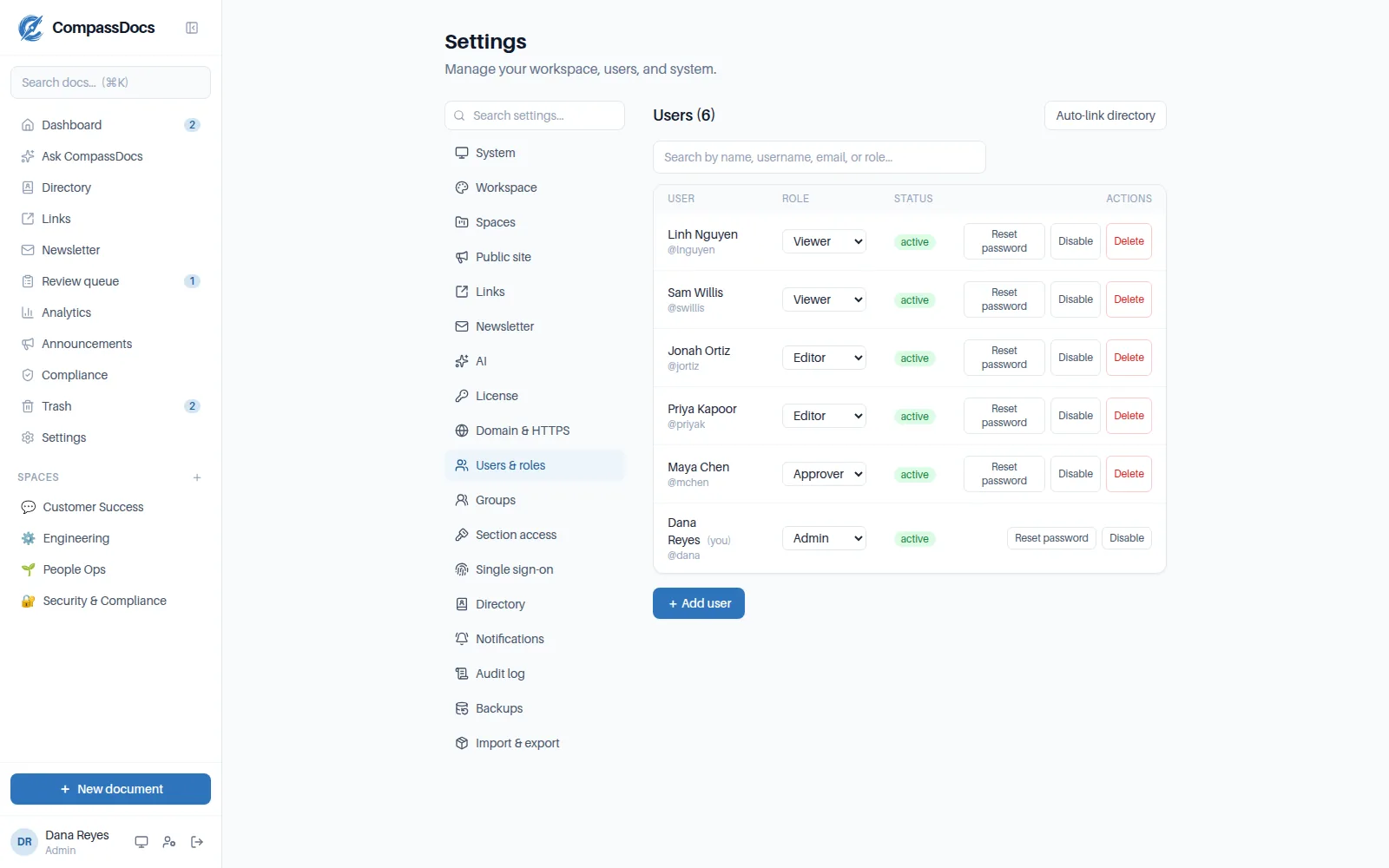
Users & roles — least-to-most privileged, with per-space edit rights layered on top.
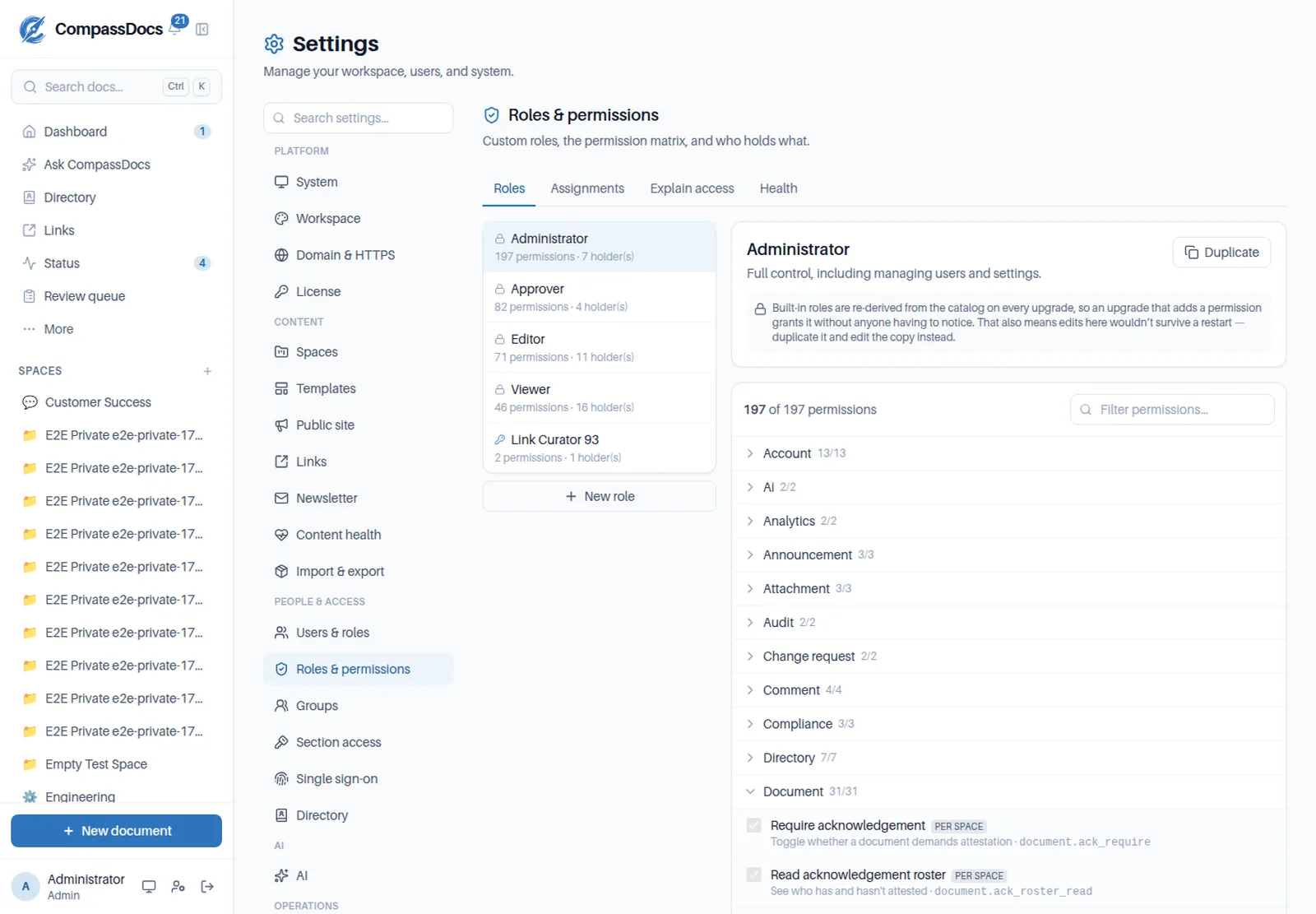
The permission matrix — grouped by what each permission acts on, searchable across names, descriptions, and keys.
What you get
- Custom roles built from 200+ permissions — grant exactly what a job needs
- Grant to a person or a group; a group grant follows joiners and leavers
- Scope a role to the whole workspace or a single space — read a private space, author in it, or see its unpublished drafts, and nothing elsewhere
- Section access and newsletter roles are the same grants, visible in one place
- Viewer → Editor → Approver → Admin ship as presets — duplicate and edit
- No exceptions: every access decision reads permissions, so a custom role is never overruled by someone’s preset
- Strict mode: edits to published docs become change requests for review
- Per-space edit rights and an org-wide “editors edit everything” toggle
- Suggestions: even Viewers can propose an edit — approvers triage one queue
- Chat & email alerts when something needs review
Two governance modes
Open mode for speed, strict mode for control — switch anytime, per your risk tolerance.
Append-only audit log
Sign-ins, role changes, publishes, approvals, comment moderation — recorded with actor, IP, and time.
Groups
Admin-managed groups drive private-space access, role grants, and subscriptions — Entra-synced on Enterprise.
Explain access
Pick anyone and see every permission they hold and which role — and which group — granted it.
Frequently asked
Can viewers contribute?
Yes — anyone can submit a suggestion on any document they can read. Approvers see suggestions and change requests in one review queue.
Do our existing roles still work after upgrading?
Yes, unchanged. Viewer, Editor, Approver, and Admin become presets holding exactly the permissions they always did, so nobody’s access shifts. Custom roles are additive — use them when you need them.
Is there anything a custom role can’t reach?
No. As of 1.0 every access decision in CompassDocs — including which drafts you see and whether your work publishes or queues for review — is answered by a permission, so a custom role is never overruled by the preset someone happens to sit on.
Can we lock ourselves out?
No. Any change that would leave nobody able to manage users — editing a role, deleting one, revoking a grant — is applied, checked, and rolled back with an explanation.
What exactly does strict approval mode do?
Any edit to a published document is saved as a change request instead of applying immediately. An approver reviews the diff and approves or rejects — with notifications on both ends.
Related: Versioning & draft branches · Admin console · Documents & spaces
Free & open source to self-host
One Docker command installs CompassDocs with unlimited users and documents. Enterprise adds SSO, Microsoft 365 sync, compliance, and training for a flat $599/year.
Get started in 2 minutes See pricing