 CompassDocs
Version history with real diffs and draft branches
Every save is a version — with who, when, and why. Compare any two versions side-by-side with word-level highlights, restore an older one in a click, and draft big rewrites on a private branch that merges back through your approval workflow.
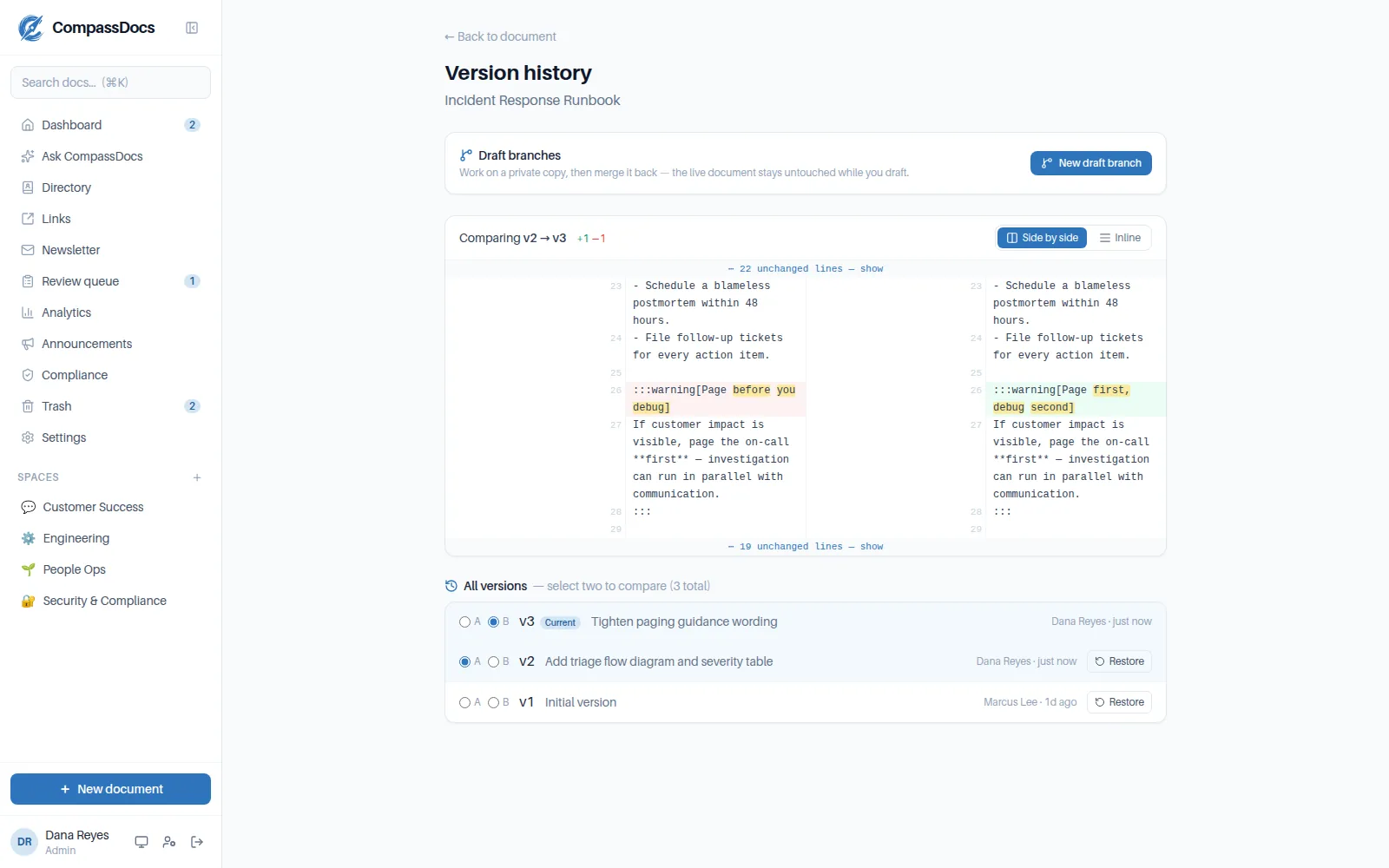
Comparing two versions of a deployment SOP — word-level highlights, change notes on every version, and one-click restore.
What you get
- Full revision history — every content or title change is a version with author, time, and change note
- Compare any two versions: side-by-side or inline, line numbers, word-level highlights, folded unchanged runs
- Restore any previous version — added on top of history, never rewriting it
- Draft branches: a private working copy, invisible in search and spaces, merged back with one click
- Approval-aware: editors’ restores and merges go through the review queue in strict mode
Change notes
A “what changed and why” field on every save. Notes survive the review queue — approved changes keep the submitter’s note and record the approver.
Branch, then merge
Rewrite a live SOP on a draft branch while the published version keeps serving readers. Merge instantly as an approver, or submit the merge for review as an editor.
Audited end to end
Restores, branch creations, and merges land in the append-only audit log with actor, document, and IP — “who changed what” has a real answer.
Frequently asked
Does restoring a version overwrite history?
Never. Restoring adds the older version's content as a new version on top of the timeline, marked with a Restored badge and who did it — so you can always restore forward again.
Do restores and branch merges respect the approval workflow?
Yes. On a published document in strict mode, an editor's restore or merge is submitted to the review queue for an approver — exactly like a normal edit. Approvers and admins apply theirs immediately.
Who can see a draft branch?
Only staff, and only if they go looking: branches never appear in spaces, search, dashboards, AI answers, or exports, and they can't be published directly. The only way a branch goes live is a merge.
Is any of this logged?
Every version records its author and time, and restores, branch creations, and merges are written to the append-only audit log with the actor, target document, and IP.
Related: Rich editor · Roles & approvals · Admin console
Free & open source to self-host
One Docker command installs CompassDocs with unlimited users and documents. Enterprise adds SSO, Microsoft 365 sync, compliance, and training for a flat $599/year.
Get started in 2 minutes See pricing