 CompassDocs
Clean documents, organized in spaces
Every document renders as a clean, readable page — typed (SOP, policy, guide), tagged, versioned, and filed in a space. Spaces carry the permissions: internal for everyone, private for chosen teams and groups, public for the world.
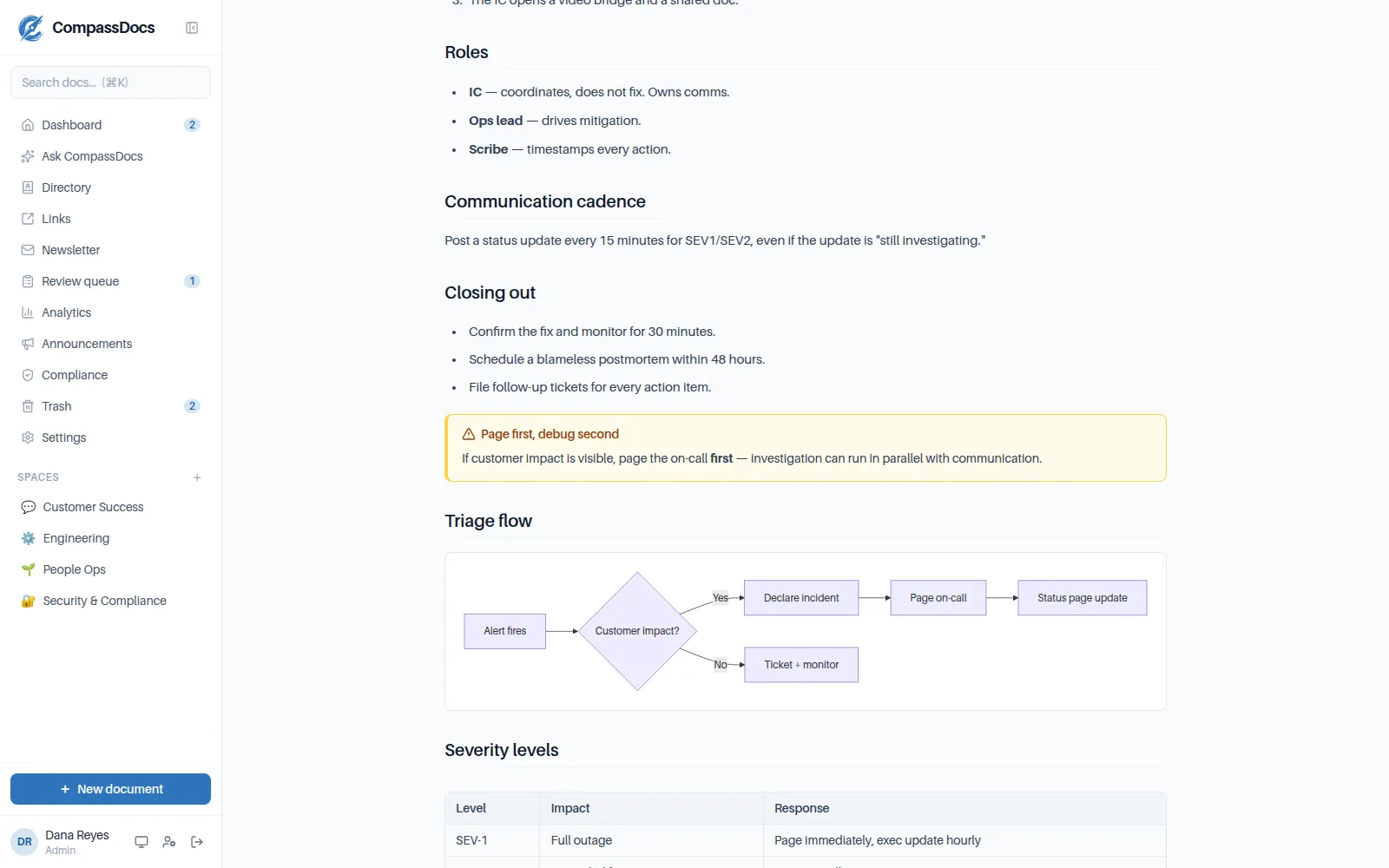
A published SOP: summary callout, structured steps, tags, versions — reading-optimized.
What you get
- Spaces with icons, categories, and per-space search
- Six views per space — cards, table, tree, board, timeline, tags — with masonry-packed cards that keep sub-page-heavy spaces tidy (long sub-page lists fold behind “N more…”)
- Three visibility tiers: internal, private (users & groups), public
- Document types and statuses — draft, published — with tags across everything
- Attachments, print/save-as-PDF, and reading-width preferences
- Trash with retention, full version history, and import/export as Markdown
Private spaces
Restrict a space to chosen people or groups — with Microsoft Entra group sync on Enterprise, membership follows your IdP.
Categories within spaces
An optional grouping level for bigger spaces; deleting a category never deletes documents.
Yours to take
The whole knowledge base exports to front-matter Markdown — and imports back. No lock-in, ever.
Frequently asked
Can some documents be visible to only part of the company?
Yes — put them in a private space and grant specific users or groups. Search, AI answers, and comments all respect that boundary.
Can I organize within a space?
Spaces have optional categories, and every document carries a type and tags — combined with in-space search, big spaces stay navigable.
Related: Public site · Roles & approvals · Rich editor
Free & open source to self-host
One Docker command installs CompassDocs with unlimited users and documents. Enterprise adds SSO, Microsoft 365 sync, compliance, and training for a flat $599/year.
Get started in 2 minutes See pricing