 CompassDocs
One console for the whole workspace
Everything operational lives in one place: system health and version checks, users and groups, scheduled backups with off-site mirrors, custom domain with automatic HTTPS, notifications, SSO, and the audit log.
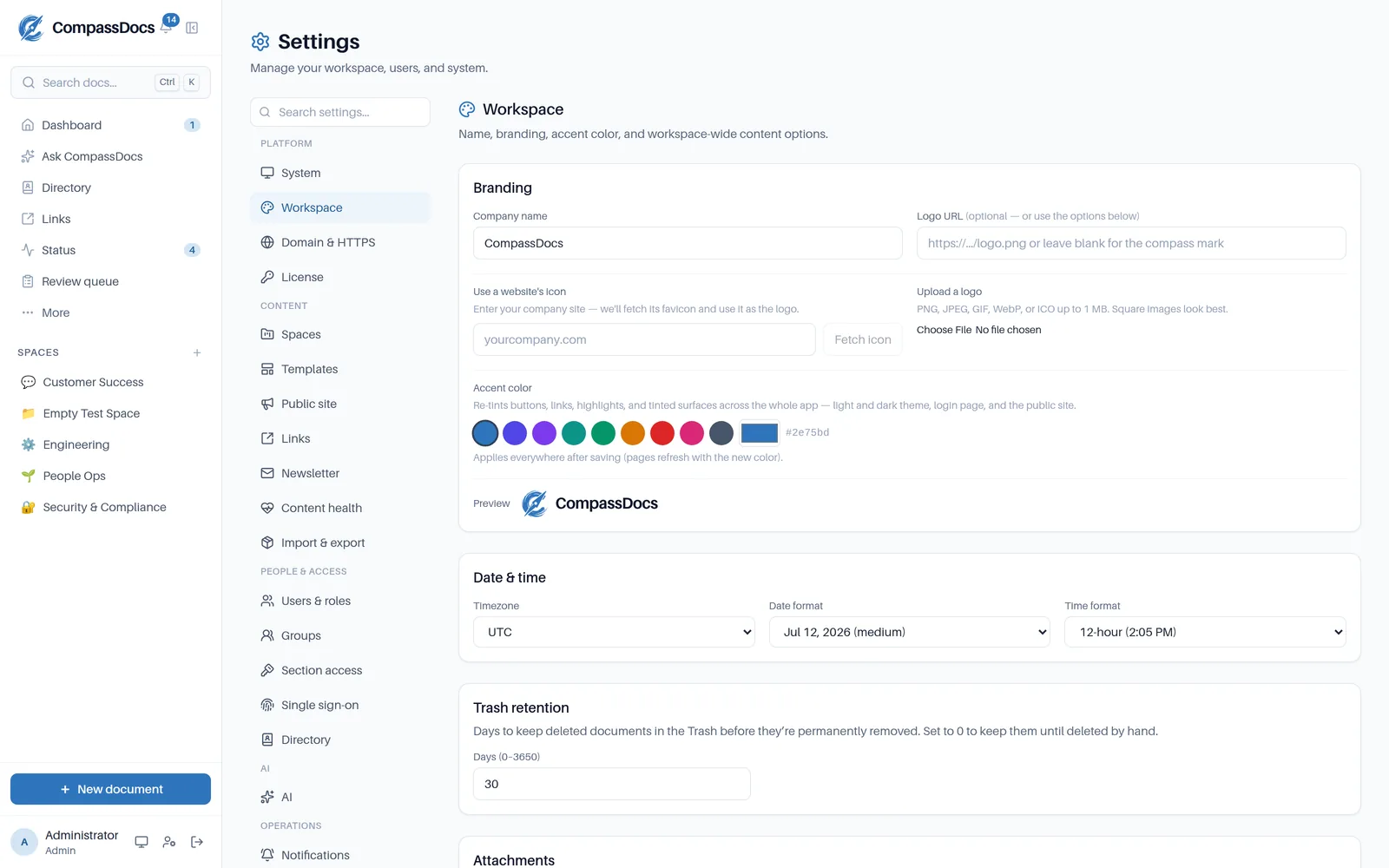
Sections grouped by area, with a search box that finds any of them by name or keyword.
What you get
- Sections grouped as Platform, Content, People & access, AI, and Operations — with a search box that matches on keywords, so “certificate” finds Domain & HTTPS
- System dashboard: version, update check, database, storage, memory, load
- Scheduled full-database backups with retention — mirrored to S3 or Azure
- Custom domain with automatic Let's Encrypt HTTPS (built-in Caddy)
- Appearance, workspace, comments, notifications, AI — every setting in the UI
- Every save confirms with a toast; destructive actions sit in a separate, red-bordered danger zone
- Enterprise: OIDC single sign-on with one-click Microsoft Entra setup
Restore you can trust
One-click restore from any backup — and the backup list shows exactly what's mirrored off-site.
Update checks
The console tells you when a new release ships, linking the changelog — updating is a container pull.
Audit everything
Security- and content-significant actions land in an append-only log with actor, IP, and time.
Frequently asked
Do I need to edit config files?
No — after the one-command install, everything from domain and HTTPS to backups and SMTP is configured in the console UI.
What does updating look like?
Pull the new image and restart — migrations run automatically on startup. The console's version card tells you when a release is available.
Related: Command palette · Public site · Roles & approvals · People directory
Free & open source to self-host
One Docker command installs CompassDocs with unlimited users and documents. Enterprise adds SSO, Microsoft 365 sync, compliance, and training for a flat $599/year.
Get started in 2 minutes See pricing