 CompassDocs
Everything, without leaving the page
Press ⌘K — CtrlK on Windows and Linux — and one box searches your documents, your colleagues, your spaces, and the things you can do. It floats in front of whatever you were reading, so nothing moves until you choose.
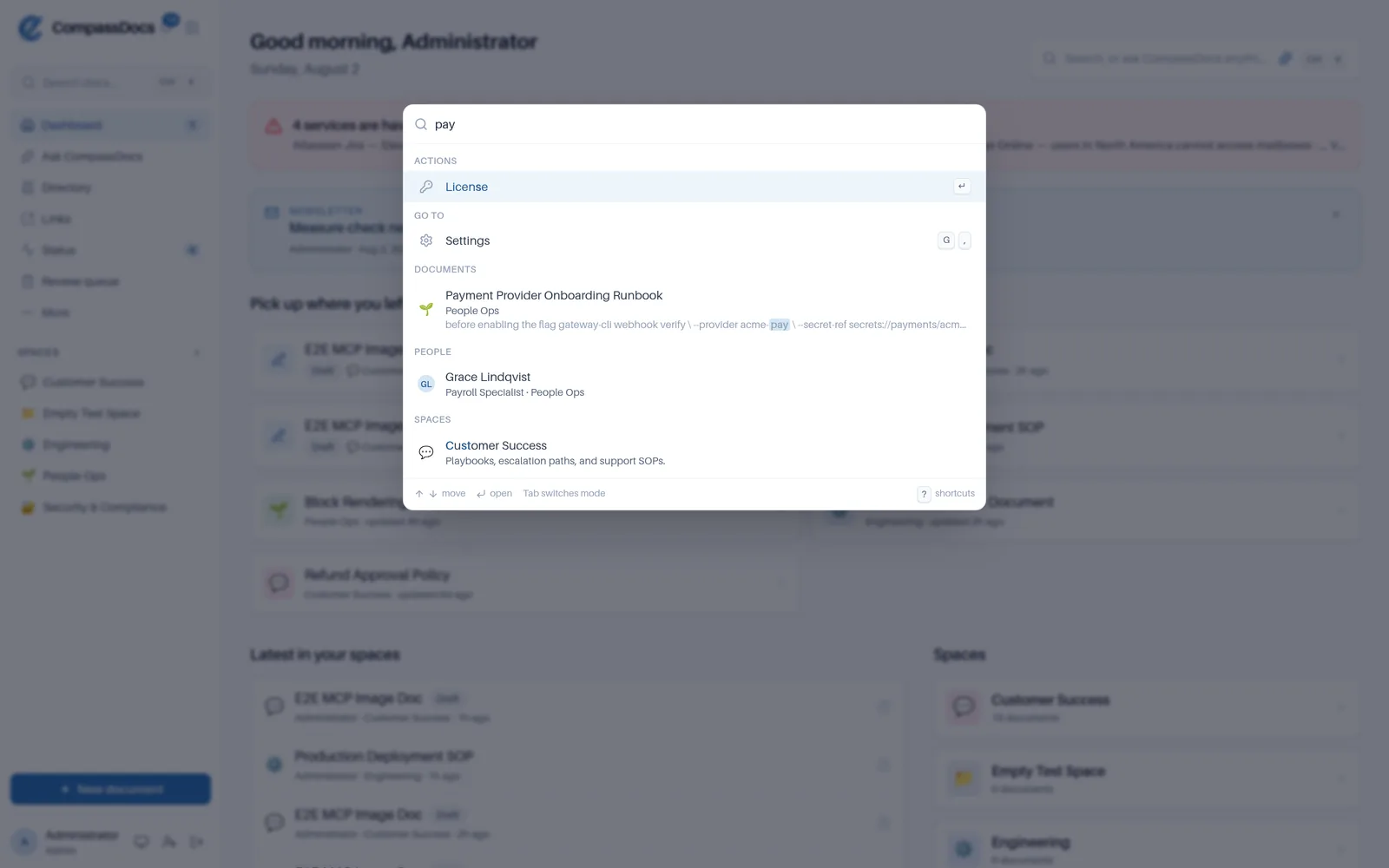
Three letters. An action, a place to go, a document, a colleague, and a space — ranked in one list.
Search stops being a destination
Most knowledge bases make you go to search, and going there costs you the page you were on. The palette inverts that: it opens over your work, hands you the answer, and gets out of the way.
- Documents, ranked exactly the way full-text search ranks them
- Colleagues from the people directory, with photos
- Spaces, and every destination in the left-hand navigation
- Actions: new document, new space, add a user, backups, audit log, import & export
- Your recent documents offered before you type anything
One box, five kinds of answer
You rarely know in advance whether the thing you need is a document, a person, or a setting. Stop choosing — type and take whichever comes back.
Never loses your place
Look up a policy number halfway through a sentence in the editor, press Escape, and the cursor is where you left it.
Permission-aware, end to end
Results are filtered to what you can see, and a shortcut is only bound if the destination would let you in. No key leads to a 403.
Find a person the moment you need one
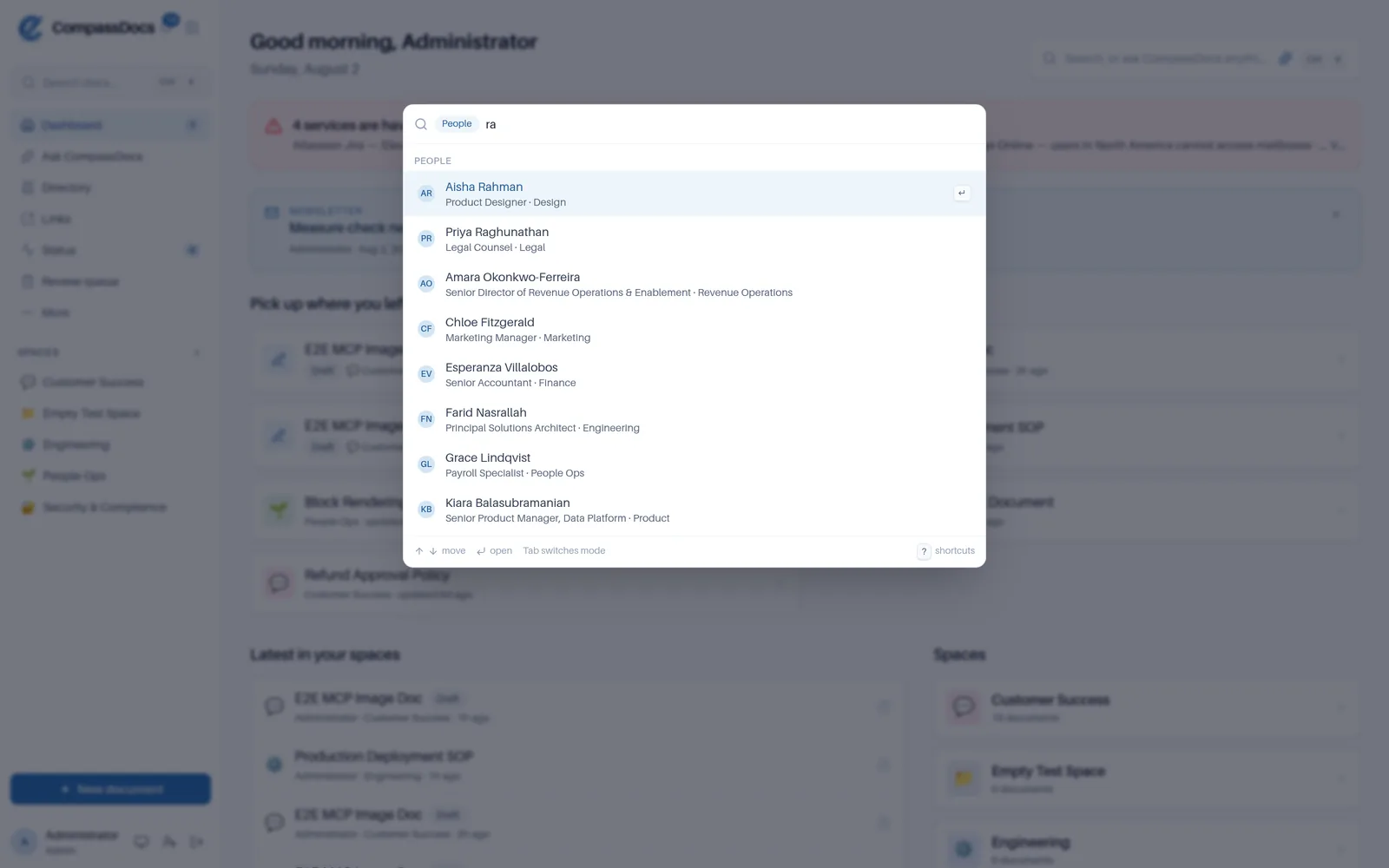
Press @ and the palette switches to people: name, email, job title, or department. Who runs Payroll, who signs off on the change, whose extension you forgot — answered without opening the directory.
- / documents · @ people · > actions · # spaces
- Tab cycles the modes if you'd rather not remember the characters
- Photos, titles, and departments in the result, so you pick the right Sarah
Jump anywhere: g then a letter
The shortcuts people who live in a tool all day expect. gh for the dashboard, gp for people, gt for training, c to start writing.
- ? shows every shortcut you have — searchable, and generated from the same registry that binds them, so it can't go stale
- Modifier hints follow the machine: ⌘ on a Mac, Ctrl on Windows and Linux
- Mode keys work on European layouts where they're typed with AltGr
- Nothing fires while you're typing — not in the editor, not in a field, not with a dialog open
Nothing to configure
No shortcut editor to set up, no cheat sheet to print. It's on for everyone the moment you upgrade.
Keyboard or mouse, your call
Every shortcut has a visible equivalent. The search box in the sidebar opens the same palette, and shows the hint for your platform.
In every edition
Free, self-hosted, and open source — no add-on, no seat tier, no enterprise gate.
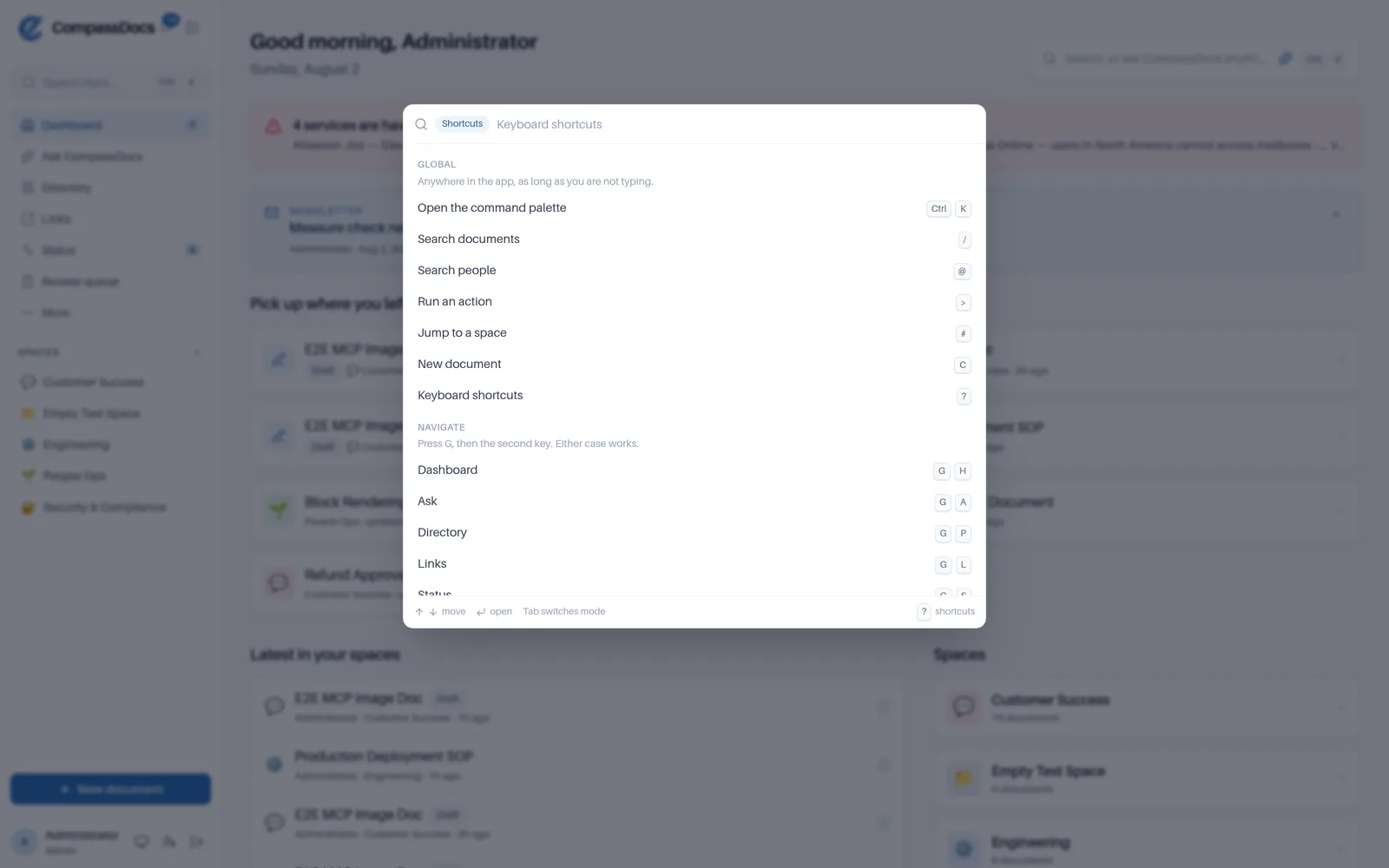
Press ? for the sheet. It lists the shortcuts you have, and it's searchable — type “train” to find gt.
Frequently asked
Does it work on Windows and Linux?
Yes. The palette opens with CtrlK on Windows and Linux and ⌘K on a Mac, and every hint in the app names the modifier for the machine you're actually on. The mode keys @, > and # also work on European layouts where they're typed with AltGr.
Will a shortcut fire while I'm typing?
No. Single-key shortcuts are suppressed inside the editor, inside any text field, while another dialog is open, and while an input method editor is composing — so writing a document never triggers navigation.
Can people see things they don't have access to?
No. Results respect every permission — you only ever see documents in spaces you can access. Shortcuts and actions are gated the same way: if your role can't approve changes, the review-queue shortcut isn't bound and the shortcut sheet doesn't list it.
Does opening the palette lose my place?
No. It floats in front of the page you're on and nothing navigates until you pick a result, so you can look something up mid-sentence in the editor and press Esc to land exactly where you were.
Related: AI search · People directory · Admin console
Free & open source to self-host
One Docker command installs CompassDocs with unlimited users and documents. Enterprise adds SSO, Microsoft 365 sync, compliance, and training for a flat $599/year.
Get started in 2 minutes See pricing