 CompassDocs
Training that lives where your docs live
Turn any published document into a training deck — slides, next/back, and a final confirmation gate. Assign it to people, groups, or everyone, bundle decks into onboarding programs for new hires, and track completion with records an auditor will actually accept. No separate LMS, no second source of truth.
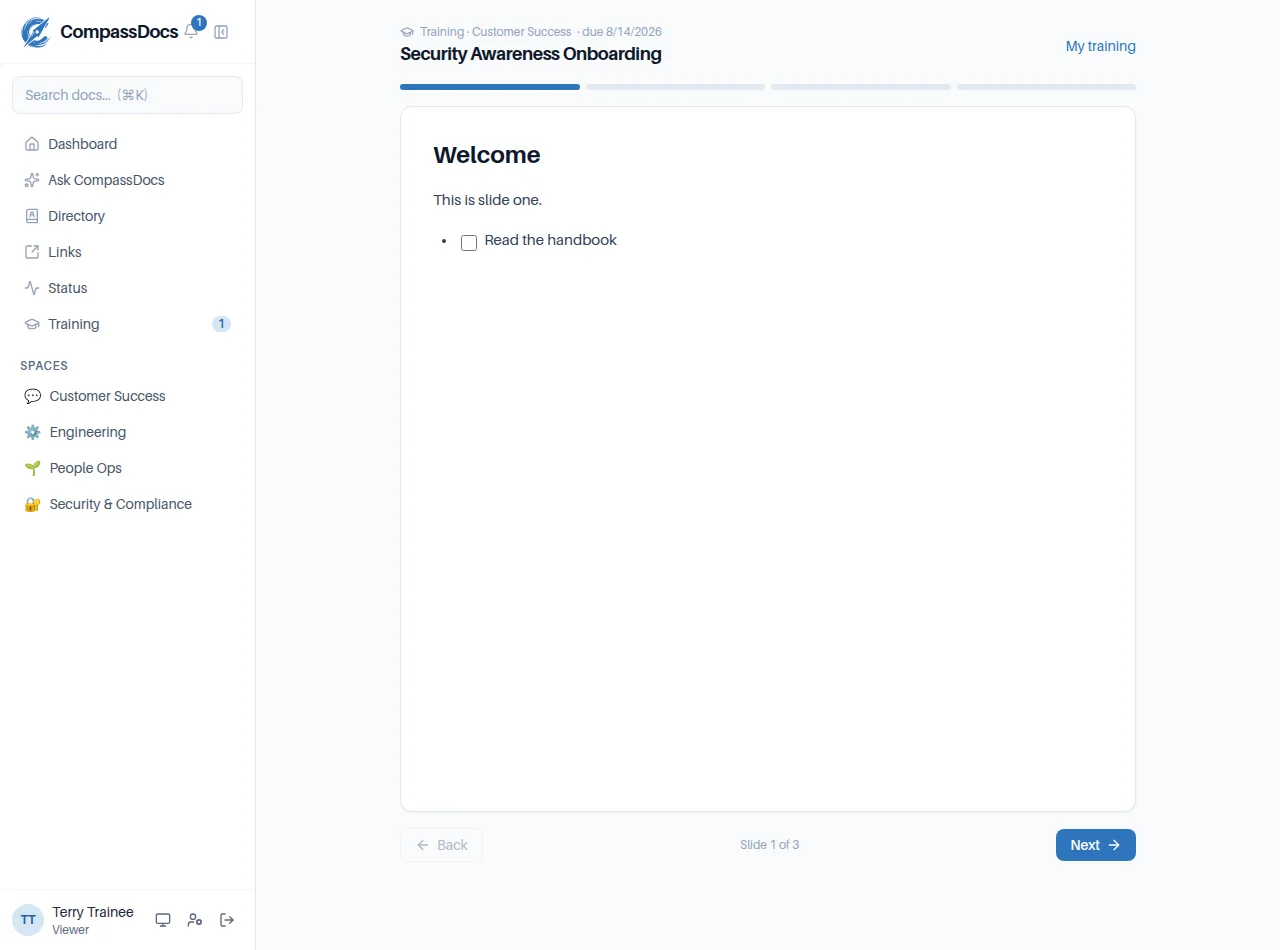
The player: one slide at a time, arrow keys, resume where you left off, and a recorded confirmation at the end.
What you get
- Docs become decks — add slide breaks to any published document; the breaks are invisible when it’s read as a normal page
- Compliance gate — an optional block at the end sets the exact wording people confirm; the record captures the document version they saw
- Graded quizzes — multiple-choice questions on any slide, graded server-side; a pass threshold unlocks the confirmation
- Recertification — decks reopen automatically every N months, keeping every prior completion in the record
- Assignments — people, groups, or everyone, with due dates and automatic due/overdue reminders
- Onboarding programs — bundle decks into a package every new member gets automatically (local, SSO, or SCIM accounts alike)
- Waivers — grandfather staff who trained before CompassDocs; recorded as waived, distinct from completed
- Proof that holds up — printable completion certificates, an org-wide overview, per-person progress with quiz scores, and CSV export for audit evidence
One source of truth
The training is the document. Update the doc and the deck updates with it — completions record which version each person confirmed, so revisions stay visible.
New-hire autopilot
Active onboarding programs assign every deck to each new account the moment it’s created — one notification, not one per deck — and the due clock starts from day one.
Delegate it safely
Admins can hand the whole program to HR or L&D through delegated section access — they manage decks and see progress without becoming workspace admins.
From rollout day to audit day
Built for the awkward realities of real organizations — not just the happy path.
Adopting CompassDocs mid-stream?
Your team already did fire safety, security awareness, the handbook walkthrough. Waive those decks for existing staff in one action: marked done immediately, no notifications, and the record honestly says waived — while every new hire from tomorrow on takes the real thing.
Evidence, not vibes
The per-deck dashboard shows exactly who finished, who’s overdue, and who was waived. Export it to CSV for your auditor — each completion carries a timestamp and the precise document version confirmed. Retired decks archive with their history intact.
Frequently asked
How do I create a training deck?
Write (or reuse) any document, add slide breaks with the editor’s training page-break button, publish it, and turn it into a deck from the Training tab. An optional compliance block at the end sets the wording people confirm. Outside the player, the document reads as one normal page — the breaks render as nothing.
Can new hires be enrolled automatically?
Yes. Individual decks can auto-assign to every new member, and onboarding programs bundle multiple decks into a package that every new account receives automatically — whether it was created locally, by single sign-on, or by SCIM provisioning.
What about staff who already did the training elsewhere?
Waive the deck for selected people or for everyone: marked done immediately, nobody gets nagged, and the record shows waived — distinct from a real completion — in the dashboard and CSV export.
Is completion tracking audit-ready?
Every confirmation records who completed which deck, when, the quiz score, and the exact document version confirmed — a later edit is visible in the record. Each completion earns a printable certificate, and progress lives on per-deck and org-wide dashboards with CSV export, alongside the audit log.
Related: HR & onboarding · Policy management · Roles & approvals · Training docs
Onboarding and compliance training, minus the LMS
Self-host CompassDocs with one Docker command and unlimited users. Enterprise adds SSO, Microsoft 365 sync, compliance, and training for a flat $599/year.
Get started in 2 minutes See pricing