 CompassDocs
A rich editor — or Markdown, your choice
Format with a familiar toolbar or write raw Markdown; both edit the same document and stay in sync. Paste screenshots straight into a step, lay out tables and color panels, and run one click of AI proofreading before you publish.
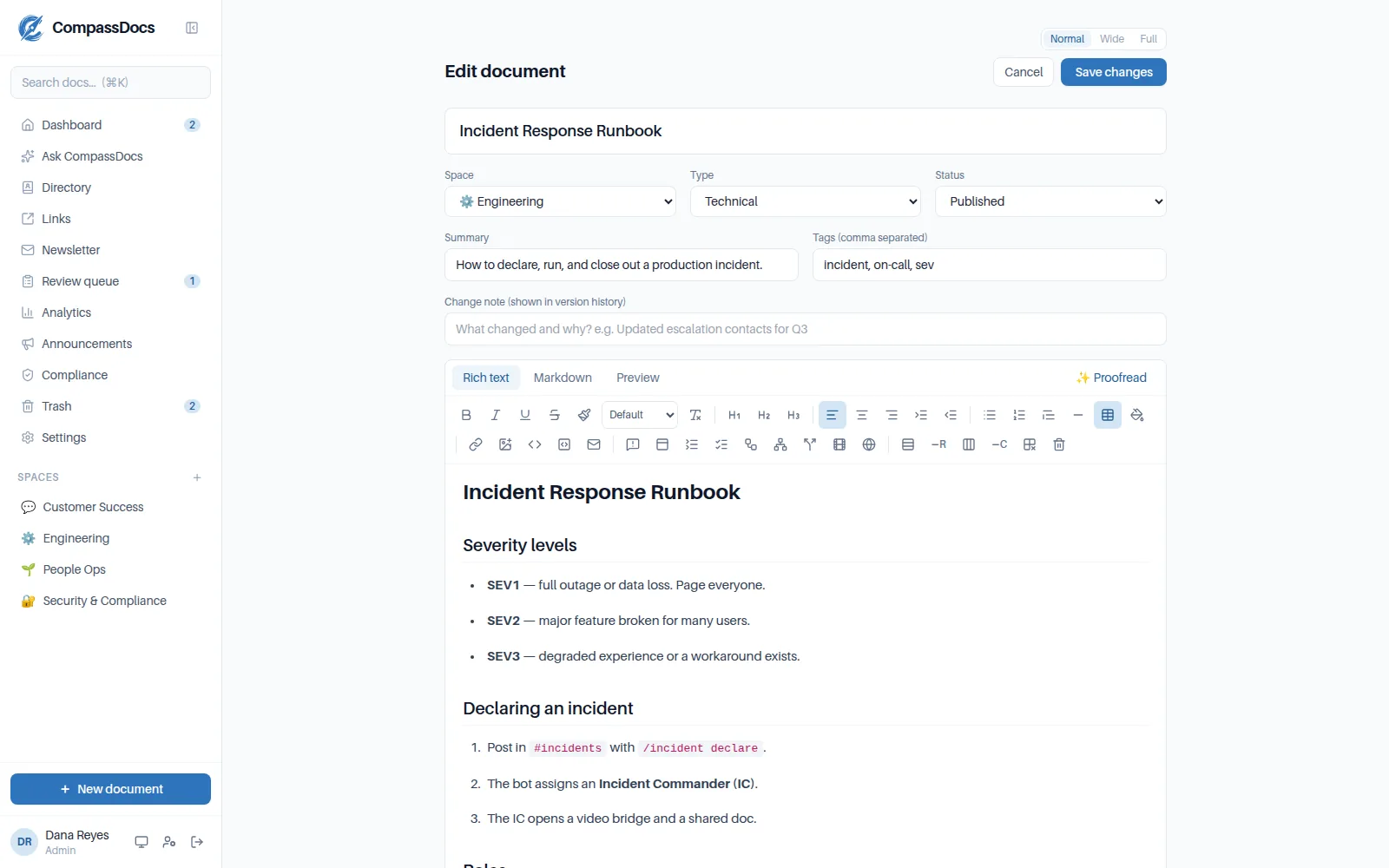
The rich-text mode: full toolbar, live document, and AI proofread one click away.
What you get
- Rich-text (WYSIWYG) and Markdown modes with live preview
- Tables, color panels, heading highlights, and email-safe fonts
- Paste screenshots in place — drag to size, side-by-side layouts, zoom, alt text
- Rich blocks, fully editable in the WYSIWYG editor: callouts, tabs, and accordions as live boxes; Mermaid & PlantUML diagrams with live preview while you type; video & website embed cards; click-to-tick checklists; decision-tree guides; filterable tables — all one click from the toolbar
- A toolbar that stays with you as you scroll long documents
- AI proofread with apply-or-dismiss suggestions that keep your meaning
Markdown under the hood
Documents are stored as portable Markdown — export them anytime, edit them anywhere, no lock-in.
Images that behave
Uploads live with the document, render sized and zoomable, and print cleanly.
Every edit versioned
Each save snapshots a version with its author — browse and preview any past revision.
Frequently asked
Do I have to know Markdown?
No. The rich-text toolbar covers everything — bold, headings, tables, panels, lists, links, images. Markdown mode is there for those who prefer it, and both stay in sync.
What does AI proofread change?
Grammar, spelling, and clarity — presented as individual suggestions you apply or dismiss. It preserves meaning and formatting, and it needs an Anthropic API key configured by an admin.
Related: Versioning & draft branches · Comments & @mentions · Documents & spaces · AI search & answers
Free & open source to self-host
One Docker command installs CompassDocs with unlimited users and documents. Enterprise adds SSO, Microsoft 365 sync, compliance, and training for a flat $599/year.
Get started in 2 minutes See pricing