 CompassDocs
Runbooks and internal docs, ready when incidents hit
Give your engineers and IT team one self-hosted place for runbooks, incident playbooks, architecture notes, and network documentation — with Mermaid diagrams, version history, and an AI that answers “how do we fail over the database?” and cites the runbook.
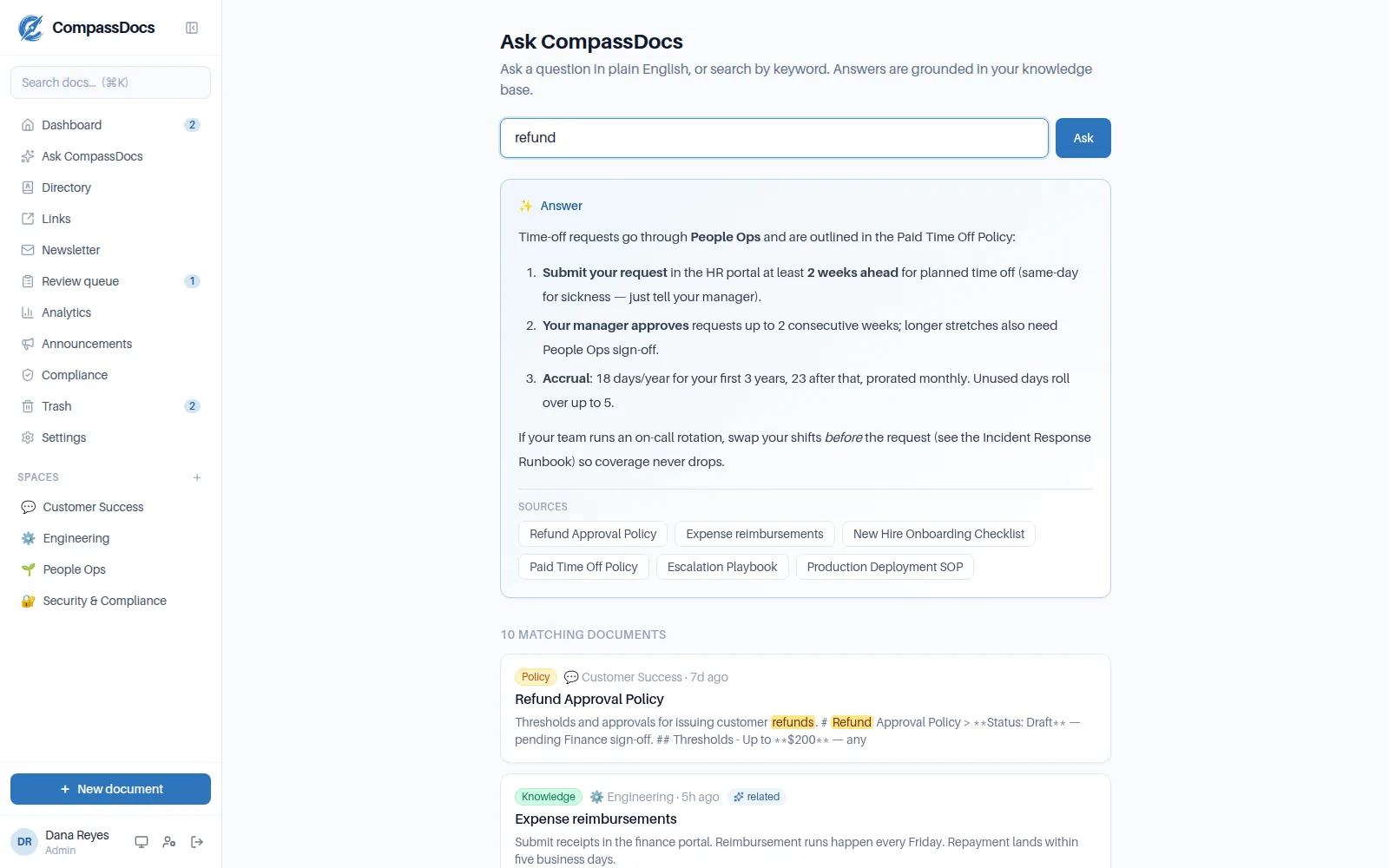
Ask in plain English during an incident; get a synthesized answer citing the exact runbook.
Built for the way IT and engineering teams work
- Mermaid & PlantUML diagrams with live preview for architecture and network topology
- Runbooks and playbooks with interactive checklists and code blocks
- Full version history — see exactly what changed after a post-incident update
- Self-hosted on your own infrastructure; your runbooks never leave your network
- MCP connector so Claude can search, draft, and update runbooks — screenshots included — with your permissions
Self-hosted by design
Runs in one Docker command on your own servers. Sensitive infrastructure docs stay inside your perimeter — no third-party SaaS holding your runbooks.
Incident-ready
Decision-tree guides and checklists turn a stressful incident into a followed procedure. Semantic search finds the runbook even when you don't know its title.
No lock-in
Everything exports to Markdown and imports back. Your documentation is portable, forever.
Frequently asked
Can I keep our runbooks entirely on our own servers?
Yes. CompassDocs is self-hosted — install it with one Docker command on infrastructure you control. Nothing is sent to a third party, which is often a hard requirement for infrastructure and security documentation.
Does it support diagrams for architecture and networks?
Yes. The editor renders Mermaid and PlantUML diagrams with live preview, plus tables, code blocks, and callouts — so architecture, topology, and sequence diagrams live next to the runbook.
Can our AI assistant read the knowledge base?
Yes — and write to it. The built-in MCP connector lets Claude (and other MCP clients) search, draft, update, and even drop screenshots into your documents, always with the same permissions the user has and with approvals still applying. No data leaves your control.
How is this different from a wiki?
You get versioning, approvals, typed documents, cited AI answers, and self-hosting in one package — without stitching together plugins. It's a modern, self-hosted Confluence alternative aimed at technical teams.
Related: For engineering teams · Confluence alternative · AI search · Diagrams & editor
Free & open source to self-host
One Docker command installs CompassDocs with unlimited users and documents. Enterprise adds SSO, Microsoft 365 sync, compliance, and training for a flat $599/year.
Get started in 2 minutes See pricing