 CompassDocs
Every setting, one search away
Desk settings are grouped into nine areas with an overview, and a search box finds any page or setting by its name or by another word for it. A five-step setup checklist and a one-click starter set get a new desk running.
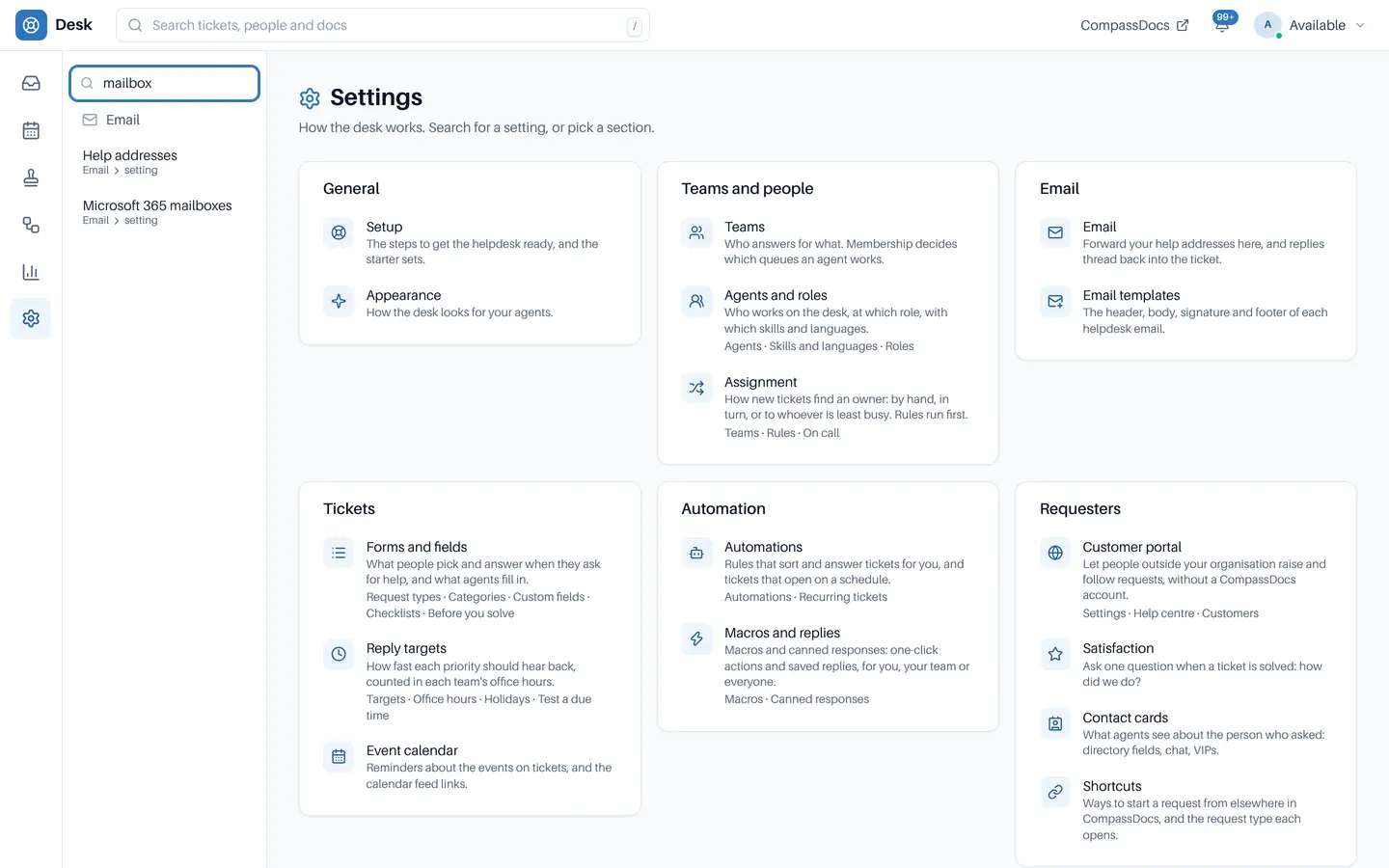
Search for “mailbox” and land on Email or Microsoft 365 mailboxes.
Powerful means lots of settings.
× Settings spread across dozens of pages.
× “Where’s the SLA setting?” asked in chat, again.
× A new helpdesk that takes weeks to configure.
→ Find any setting in a keystroke, and start from a working desk.
Find it, change it, done.
Search by any word
“SMTP” or “mailbox” finds Email, “Outlook” finds Microsoft 365 mailboxes, “MFA” or “Duo” finds Sign-in and Duo, and “SLA” finds Reply targets. People only see settings they can open.
Lands on the setting
Enter opens the top result, scrolls to the setting and briefly outlines it.
Nine groups and an overview
General, Teams and people, Email, Tickets, Automation, Requesters, Integrations, Security and data, and You, with related pages as tabs. Every old address still works.
Five-step setup
Teams, hours and reply targets, email, a request form and satisfaction, with a one-click starter set: IT, HR and Facilities teams, starter targets, six request types with workflows, three macros and an example rule.
Make it yours
Artwork behind the desk for light and dark mode, and agents can pick their own background once you allow it.
In the admin console too
CompassDocs’ own settings search matches words in any order and lands on the setting with the same brief outline.
From empty desk to first ticket.
Helpdesk tables stay empty until someone sets the helpdesk up.
Open the setup checklist
Five steps, in order.
Load the starter set
Teams, targets, request types, workflows, macros and a rule to edit.
Search for the rest
Any setting by any word for it.
Invite agents
Add them to teams with a desk role, and open the queue.
Related: Roles & permissions · Security & privacy · Admin console · The desk · Docs
More in the helpdesk
A helpdesk without another tool to buy
Self-host CompassDocs with one Docker command. The helpdesk is part of CompassDocs Enterprise, with 3 agents included (extra agents $125/year each), alongside SSO, SCIM, directory sync, read confirmations and training.
Buying for a team? Get a formal quote to print for approval, or order by invoice with your PO number.